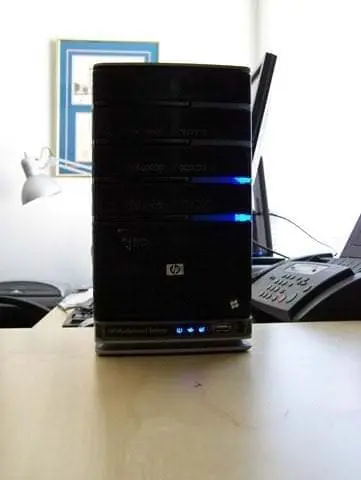
Do you have a HP EX470 and want to upgrade to the HP 3.0 Software release? If so, you should upgrade the memory to 2GB. This week I made a video with John “Diehard” Zajdler walking me through the EX470 memory upgrade!

Background
My parents EX470 has been running well since November of 2008. I had the main drive fail last year (just before warranty was up) and HP me sent a replacement drive. I was up and running the next day. Thank you HP for great service and a great product!
Now that the EX470 is out of warranty I am going to upgrade the memory from 512MB to 2GB. It would not have voided the warranty to change the memory before, but I had no reason to upgrade it before now. Once the memory upgrade is complete I will be able to install the HP 3.0 Software upgrade!
In addition, HP never released any documentation on servicing the EX470 so the memory upgrade is at YOUR OWN RISK.
Equipment Needed
- 2GB 240-Pin DDR2 SDRAM DDR2 667
- John Zajdler (Optional)
- Torx T15 and Phillips #00 Screwdriver
- Two Pints (Optional as always, pints are 16 ounces so adjust accordingly)
Memory Purchase
You should purchase the 2GB 240-Pin DDR2 SDRAM DDR2 667 (PC2 5300). I installed the Patriot brand but there are other manufacturers out there.
Make sure you get just ONE chip and NOT a pair of 1GB!
Patriot 2GB
http://www.newegg.com/Product/Product.aspx?Item=N82E16820220231&Tpk=N82E16820220231
Kingston 2GB
http://www.newegg.com/Product/Product.aspx?Item=N82E16820139039&Tpk=N82E16820139039
I bought mine on sale a while back at Newegg so you might want to shop around for the best deal. Do not forget to use BING!

EX470 Memory Upgrade Video – Watch in 720 HD.
I had seen instructions and videos on HomeServerShow and Home Server Hacks but I wanted to do something a little different. I used my Sony Webbie, a tripod, LifeCam HD, 9 inches of Scotch brand tape and Skype’d up John Zajdler.

The process is mostly edit free but I had to break it into four videos because of the 10 minute YouTube time limit. In addition, I had Skype sound issues so keep your hand near the volume.
Conclusion – Upgrade Successful
I was fortunate enough to have one of the best hardware people out there to walk me through the process. With these videos you now also have a copy of that resource. Do not worry and take your time!
After John and I completed the upgrade John asked me to plug it in to give it a try. I connected the power plug and Ethernet connection and waited for the blue lights. Three minutes later I had a third server on my network! Sweet.


Thank you to John Zajdler for walking me through the upgrade.
See you next Friday night,
Timothy Daleo
–
–
EX470 Support – Not Available
The EX470 is no longer supported (according to the HP website) so you will not find anything of value on the HP website regarding parts.

You will find some old part numbers but that is about it.

EX470 Specifications
These are not needed for the memory upgrade but since support is up I would suggest downloading them and putting them on your server somewhere just incase you ever want to reference the original documentation in a digital format.
HP EX470/EX475 MediaSmart Servers (3493.0KB, PDF)
HP EX470, EX475 MediaSmart Server – User’s Guide
HP MediaSmart Server – Installation and Troubleshooting Guide


 Kevin does a lot for Windows Home Server and is interviewed on RunAs Radio on using a Home Server in businesses.