Crystal Palace Tower to light up the London skies to mark switch from analogue to digital

Arqiva plans to mark the Digital TV services switchover in London with a spectacular light show on 18th April.

Crystal Palace

The historic switch from analogue to digital TV services in London next month will be celebrated with a spectacular lightshow at the iconic Crystal Palace broadcast tower, Arqiva announced today.

More than 200,000 watts – 7.5 billion candlepower – of energy-efficient lighting, the same wattage used to light the Eiffel Tower in Paris, will illuminate the 219 metre tall structure.

Visible across London, the explosion of light will culminate with a beam of light shooting up the tower and radiating out over London, representing the invisible digital TV signals.

Arqiva, the company which has engineered the UK’s digital switchover project (DSO), is installing more than 6 tonnes of lighting equipment on the tower in readiness for the light show at 9.15pm on 18 April.

The 7000 watt, billion candlepower search lights that will beam out across London weigh 100 kilos alone and are being installed 130 metres above the ground by a team of 20 riggers.

For more than 50 years the Crystal Palace tower has broadcast the best of British TV, from the first episode of Blue Peter in 1958 to last year’s Royal Wedding, to more than 12 million people in the Greater London area and surrounding counties. With a coverage range of over 40 miles, it’s the most important transmitter of the 1150 masts in the UK broadcast network and Londoners have been the first to receive many ground-breaking TV services that we now take for granted. Crystal Palace broadcast the first colour TV test transmissions in November 1956, with a regular colour service starting on BBC2 in 1967. More recently, in 2009, Londoners were the first in Europe to receive free-to-air terrestrial HDTV broadcasts.

UK broadcast transmission company Arqiva, will complete implementation of the digital switchover project in October in Northern Ireland. Alongside, Digital UK is co-ordinating a public information campaign to help consumers make the switch – http://www.digitaluk.co.uk/ .

In addition to the public lighting display, Arqiva is hosting a special VIP event at the foot of the tower to mark the switchover. Hosted by Chris Evans, the event will feature a rare appearance from Sir David Attenborough, who is celebrating his 60th year in broadcasting and will talk about the evolution of broadcasting during his lifetime.

Sir David Attenborough, broadcaster and naturalist, said “Thanks to public service broadcasting, for the past 75 years we could all take part in the most memorable moments in the UK’s history. Think about the coronation of Queen Elizabeth in 1953 or England winning the World Cup in 1966.  Now with the switch to digital TV, we’re celebrating the start of a new, very exciting time in UK broadcasting when viewers will have more channels to choose from and a better viewing experience than ever before. This is as wonderful as anything I’ve experienced in my 60 years of working in the TV industry.”

Chris Evans, TV presenter and BBC Radio 2 DJ, said “2012 is set to be a truly incredible year for Britain.  Everyone knows about the Olympics and the Queen’s Diamond Jubilee but this year also sees the completion of the largest broadcast engineering project ever seen in the UK.  The switchover to digital TV is a momentous step for the broadcast industry.  It’s part of enabling  a Digital Britain and gives everyone a greater choice of TV programmes than they’ve ever had before.  The Crystal Palace transmitter is an iconic landmark. Lighting it up is a fitting tribute to the success of public service broadcasting over the last 75 years and a celebration I’m proud to be part of.”

John Cresswell, CEO of Arqiva, said: “DSO is a huge team achievement, working with our Freeview partners, alongside Digital UK and Ofcom.  At completion in October it will have involved more than 1200 man years of effort and the construction of five new TV masts, one the height of 70 double decker buses. In only five years, we have transformed this vital public service into a modern platform that is delivering the best of British TV into over 20 million homes across the UK and meeting the evolving TV viewing needs of the UK population.”

Developments of the London Switch Over night celebrations can be followed via FaceBook (www.facebook.com/switchovernight) and Twitter (@switchovernight). Arqiva is also offering two people the chance to win a memorable helicopter flight across London and the Crystal Palace site, by entering its competition on Twitter.

Have you got the GTX Factor? Win a GeForce GTX gaming PC with NVIDIA

0

To celebrate the launch of the eagerly awaited next-generation GeForce GTX 600-series architecture, NVIDIA are going to give away a fantastic GeForce GTX gaming PC.

prize

The PC will be truly ‘Geared for Gaming’ packing dual GeForce GTX 680 in SLI that offers frighteningly fast performance and a smoother and richer gaming experience. In addition, the PC will come armed with the very latest NVIDIA® 3D Vision™ 2 wireless glasses and monitor for the ultimate immersive 3D PC experience.

Plus, 2 runners up will walk away with a fantastic GeForce GTX 680 graphics card each.

To enter the competition, you need to create an image that best illustrates your passion for GeForce GTX. Included in the picture should be the NVIDIA GeForce GTX badge.

Prizes will be awarded to the entries that best demonstrate your passion for GeForce GTX and have the most creative, humorous or wackiest use of the GeForce GTX badge. You can create your image using conventional photography or computer generated software. Just keep it clean and keep it legal.

Once you have created your picture simply upload it to the ‘I’ve got the GTX Factor’ image gallery. Good luck!

Learn more and enter the competition here

Raspberry Pi Compliance Update from Farnell UK

Yesterday we told you about the CE issue around the Raspberry Pi boards – this morning I received an update from Farnell UK on the situation.

CDW - The Beeb @ 30 Event 037

This is the email I just received:

In recent days you may have heard various reports on the Web about Raspberry Pi, the need for compliance testing and possible further delivery delays.

We recognise the impact on our customers of the constantly changing delivery dates, and we apologise for the frustration and disappointment this is causing. We will supply you with accurate delivery dates just as soon as we can, as the Boards undergo compliance testing.

It is clear that many of our customers will be using the Raspberry Pi as a finished product, not just an engineering development board. As such, we see it as the most responsible approach to ensure that all Pis meet the required standards for finished products in all territories.

We are therefore going through a much accelerated compliance process, working closely with the Raspberry Pi Foundation and RS Components. We take our commitment and responsibility in this area very seriously and believe the short-term delays, whilst frustrating, will be worthwhile to ensure our customers receive a fully compliant product.

The exact situation at the present time is as follows:

  • 2000 Raspberry Pi’s are now in the UK.You can see pictures of them leaving the factory in China here; http://www.raspberrypi.org/
  • The compliance teams of element14, RS and Raspberry Pi are working round the clock with the testing houses to assess the product now.  Any issues that are identified (hardware or software) will then need to be rectified and we will ensure this happens as quickly as is humanly possible.
  • There are different compliance standards around the globe. We are focused on meeting all of those as quickly as possible. Some may take longer than others.
  • As soon as these initial 2000 Boards are compliant to at least one set of required standards, we will receive our share of this first batch from Raspberry Pi and ship these to customers in the locations where the compliance standards have been met on a strictly first come, first served basis. Those who ordered first in those countries will receive the product first.
  • Regrettably we cannot give any firm delivery commitments on Raspberry Pis until this testing is complete. Please be assured we will provide this information as soon as we can.
  • Once the product is fully compliant our manufacturing partners have the necessary stocks of components to ramp up production very quickly. So, despite these frustrating, initial delays we are confident the picture will improve and lead times for new orders will reduce.
  • We will email you individually to confirm your personal delivery date as soon as we are able to. We will continue to share generic information, but recognise that it is the detailed specific information to your order that is most important to you.
  • We will continue to post news and updates on our element14 community. Next week, on April 4th, Raspberry Pi founder, Eben Upton will give a 40-minute webinar on programming the Raspberry Pi as part of our element14 Design Flow series.
    To join the 2000+ Pi fans who have already registered to attend and learn more Click here

Once again we apologise to all of our customers for this delay in providing the hotly awaited Raspberry Pi. Despite these initial teething troubles, we’re certain you’ll be delighted with the end result.

HOT OFF THE PRESS UPDATE FROM EBEN UPTON OF RASPBERRY PI:
“We have spoken with BIS this morning, and have been told that, given the volumes involved and the demographic mix of likely users, the development board exemption is not applicable to us; as a result, even the first uncased developer units of Raspberry Pi will require a CE mark prior to distribution in the EU…… ….we are working with RS Components and element14/Premier Farnell to bring Raspberry Pi into a compliant state as soon as is humanly possible.”

From Farnell element14

Check out A Slice of Raspberry Pi at Beeb@30 post from earlier in the week

Installing the Windows 8 Consumer Preview on the Samsung Series 7 Slate PC

Samsung have released updated firmware to enable the Windows 8 Consumer Preview to work with its Series 7 Slate PC.

win8_preview_01

Download the updates and learn more from here

My Movies for iPhone Pro 1.82 Released

0

The latest version of My Movies for iPhone Pro, version 1.82, has been released.

mzl_rbaabnlx_320x480-75_thumb1_thumb

What is My Movies for iPhone?

My Movies for iPhone allows you to catalog your entire movie collection from our high quality online data service containing data for more than 475,000 DVD, Blu-ray and HD DVD titles from various countries. If you have one or more titles that is not in our service, you can report it and it will be created within 48 hours by our staff.

If you would like to evaluate the application, you can install My Movies for iPad Free, which is a freely available identical version with the exception of it being limited to 50 titles, and only 10 items in release and trailer lists.

You can use My Movies for iPhone as a standalone product by adding titles by barcode or title searches, or use it as a companion to our My Movies software packages for Microsoft Windows, allowing you to keep your movie collection synchronized between clients.
My Movies for iPhone requires you to create a user account, or log on to an existing My Movies account to be able to use the program. Your collection will follow your user account through our online servers, allowing you to switch between different clients without ever losing your data. If you log in to an existing My Movies account, your current collection will automatically be synchronized to your iPhone.

You can within the program activate an online collection website of your movie collection, allowing you to send friends and family a website that allows them to browse your entire collection.

With My Movies for iPhone, you can keep track of movies you own, previously have owned, rented or movies you wish to purchase. Never again will you have to purchase or rent a movie twice.

Features:
– Add titles by barcode, title search, manually or scan barcodes with the camera on your device.
– Preview titles with complete details before adding to your collection, or quickscan a title to view details without adding it.
– Add titles to different groups (Owned, Wished, Rented, …), and move titles between groups.
– Report missing titles to our staff to have the titles created in our service.
– Report incorrect data to our moderation team if you find an error in our database.
– View movie trailers for titles in your collection, or scan and quickly view a movie trailer for titles when in the movie store.
– Management loans to friends and family.
– Search your collection.
– Sort titles by title, collection number, rating, running time, production year, release date, parental level or added date both ascending and descending.
– Filter titles by type, genre, group, watched status, parental rating, production year, running time, personal categories or online status. (Watched status, Categories and Online status requires My Movies software suite for Windows).
– View movie details, including synopsis, cast list, audio tracks, subtitles and much, much more.
– View full screen or zoom-able high resolution front and back covers.
– View actors and directors with photos, biography and list of titles the person stars in.
– Create an online collection website to share with friends and family.
– Update movie profiles from our service to always have the latest, most complete and accurate data.
– Upload your collection directly from My Movies Windows software suite as an alternative to synchronize through our online servers.
– See weekly releases of titles on Blu-ray and DVD including all details and trailers. (Release lists are not complete in all countries).
– Keep collection synchronized between different devices.

What’s New in Version 1.82

– Added: Windows Home Server 2011 connection, allowing you to browse list details on the server and many other things.
– Added: Simple watched setting option, allowing to switch watched back to an yes/no functionality.
– Fix: Bug where actors where not reloaded when changing amount of actors to download.
– Fix: Problem selecting the correct player when having multiple Dune players.
– Adjustments to the upgrade functionality.

Download My Movies for iPhone from the Apple App Store

My Movies for iPad 1.82 Released

0

Brian has just released and update for My Movies for iPad – its now version 1.82.

mzl_yztkexfy_480x480-75_thumb1_thumb

What is My Movies for iPad?

My Movies for iPad allows you to catalog your entire movie collection from our high quality online data service containing data for more than 475,000 DVD, Blu-ray and HD DVD titles from various countries. If you have one or more titles that is not in our service, you can report it and it will be created within 48 hours by our staff.

If you would like to evaluate the application, you can install My Movies for iPad Free, which is a freely available identical version with the exception of it being limited to 50 titles, and only 10 items in release and trailer lists.

You can use My Movies for iPad as a standalone product by adding titles by barcode or title searches, use it along with My Movies for iPhone Light or Pro or use it as a companion to our My Movies software packages for Microsoft Windows, allowing you to keep your movie collection synchronized between all devices and clients.

My Movies for iPad requires you to create a user account, or log on to an existing My Movies account to be able to use the program. Your collection will follow your user account through our online servers, allowing you to switch between different clients without ever losing your data. If you log in to an existing My Movies account, your current collection will automatically be synchronized to your iPad, and users of My Movies for iPhone can use it’s batch barcode scanning functionality to quickly add titles and automatically have them synchronized to their iPad.

You can within the program activate an online collection website of your movie collection, allowing you to send friends and family a website that allows them to browse your entire collection.

With My Movies for iPad, you can keep track of movies you own, previously have owned, rented or movies you wish to purchase. Never again will you have to purchase or rent a movie twice. Users of My Movies for Windows Media Center can also use the application to start playback of movies on their Media Center.

Features:
– Add titles by barcode, title search or manual creation.
– Preview titles with complete details before adding to your collection.
– Add titles to different groups (Owned, Wished, Rented, …), and move titles between groups.
– Report missing titles to our staff to have the titles created in our service.
– Report incorrect data to our moderation team if you find an error in our database.
– View movie trailers for titles in your collection.
– Management loans to friends and family by selecting from contacts or typing name.
– High resolution front and back covers.
– Search your collection.
– Browse using our movie wall or list views with large or small thumbnails.
– Sort titles using advanced data options.
– View actors and directors with photos, biography and list of titles the person stars in.
– Update movie profiles from our service to always have the latest, most complete and accurate data.
– Create an online collection website to share with friends and family.
– Upload your collection directly from My Movies Windows software suite as an alternative to synchronize through our online servers.
– See weekly releases of titles on Blu-ray and DVD including all details and trailers. (Release lists are not complete in all countries).
– Start playback of movies in My Movies for Windows Media Center.

What’s New in Version 1.82

Notice! If you have any problems either with this or any prior update, please contact us on support@mymovies, and we will help you resolve your issue.
– Added: Support for iPad Retina display.
– Added: Windows Home Server 2011 connection, allowing you to browse list details on the server and many other things.
– Added: Simple watched setting option, allowing to switch watched back to an yes/no functionality.
– Fix: Bug where actors where not reloaded when changing amount of actors to download.
– Fix: Problem selecting the correct player when having multiple Dune players.
– Adjustments to the upgrade functionality.

Download from the Apple App Store now

My Movies for Windows Home Server 2011 Version 2.11 PR3 Released

Brian has also released version 2.11 PR3 of My Movies for Windows Home Server 2011.

Windows Home Server 2011

My Movies for Windows Home Server 2011 operates as database back-end for My Movies clients in multi-zone environments.

The My Movies for Windows Media Center or My Movies Collection Management products can be downloaded and installed on client PC’s to maintain movies in the database on My Movies for Windows Home Sever 2011.

My Movies may not be pre-installed on commercial products, nor in any way redistributed or provided to end-users by installers that is not part of our installer program.

Change Log:

Added: Installers “My Movies for Windows Home Server 2011 Integrators” option.

Change: Better handling of database upgrades, so that later versions does not need all clients to be upgraded when server is upgraded.
Change: Updated for iOS 1.82 WHS connection options.

MM WHS

Before installing a pre release version, you must make a backup of your database using the Collection Management program. There are no guarantee that a pre release version functions as expected, and it should therefore only be used for evaluation purposes. The database backup ensures that you can revert back to the latest stable version.

My Movies for Windows Home Server 2011 2.11 Pre Release 3 can be used as server for My Movies 4.03 Pre Release 3 clients.

You can download the Windows Home Server 2011 edition here Check out our review of My Movies for Windows Home Server 2011 2.0 Pre Release 7

The Home Server Show Episode 177 Out Now

Dave at the guys at the Home Server Show have released episode 177.

home_server_show_small_thumb_thumb

Here’s what Dave has to say about this weeks show:

Adam Thursby joins the podcast and we will talk about moving data from one PC to a Windows Home Server 2011 box and we’ll try not to lose any data in the process. We also go over backups and redundancy options for Adam. A little bit of news as well. Enjoy.

Download or listen to show 177 from here

doubleTwist Player for Android updated to version 1.7.3

The doubleTwist player app for Android has been updated to version 1.7.3 bringing with it a number of fixes and support for Google Music.

doubletwist

This is how the app is described:

Are you tired of using multiple apps for things that your iPod could do out of the box?

Download doubleTwist Player and get the best all-in-one music, podcast, radio, video & sync app:
♬ Sync music (including iTunes playlists) to your phone from your Mac/PC over USB or AirSync over WiFi.
♬ Download legal, high-quality album artwork for your music.
♬ Smart Playlists for easy access to your Top Rated and Most Played songs.
♬ Subscribe to podcasts without needing a Mac/PC and get new episodes downloaded automatically over 3G or WiFi.
♬ Stream music, videos and photos to devices such as Xbox, PS3, Sonos, and Apple TV (black model; AirPort Express not yet supported).

doubleTwist Player is a free download and there is a choice of in-app upgrades for premium features such as AirSync and podcast management. Alternatively, you can upgrade to doubleTwist Pro and get the three premium features bundled together at a discount.

What’s in this version 1.7.3:

  • ♬ Added support for Google Music (offline tracks appear in library).
  • ♬ Improved method for downloading alternate album artwork.
  • ♬ Fixed AirPlay support for recent Apple TV update.
  • ♬ Search is now more easily accessible.
  • ♬ Various improvements and bug fixes.
  • ♬ Slimmer and Sexier!
Download now from Google Play

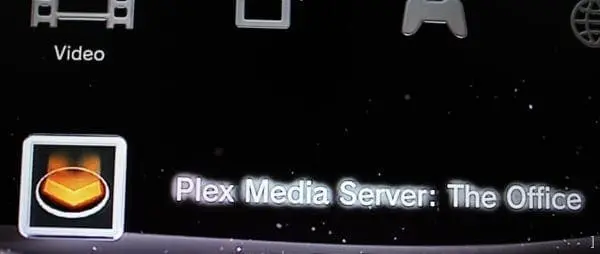
Update to Plex Server adds DLNA and Windows Phone support

Plex have introduced a new beta of its Plex Server software that adds DLNA and Windows Phone support.

This is what was posted on the Plex blog:

First and foremost, this is an initial release of the server, labeled beta, and there will be bugs. The good news is that, as always, the server is backwards/forwards compatible, so you can move back and forth as you wish between beta and stable.

Secondly, there are like seven bazillion DLNA devices. At least. We’ve focused on support for two of them primarily (the PS3, and the Xbox360) and one other (the WD TV Live). The good news is that we have a very simple yet powerful XML-based configuration (see here for the current one) system which can be used to describe new DLNA clients’ capabilities. We can push out new profiles to everyone automatically, and you can extend it with your own profiles. (For those who care, just make your own dlnaclientprofiles.xml file in the Plex Media Server application support folder. And please, please, share your new profiles with us so that everyone can benefit!)

Last of all, subtitles are not working with DLNA in this release. We will absolutely get them working, and better than you might think possible, just not in this first release. Sorry.

The new links to this BETA release of the Plex Media Server are available in the usual place (look for the beta release with DLNA support). Linux builds will be up shortly, we’re just doing a final round of testing. Enjoy!

So have you tried it yet? Let us know what you think.

Sky+ App for iOS Updated to Version 3.5.1

The Sky+ App for iOS has been updated to version 3.5.1. bringing with it the fix we mentioned with the new iPad that wasn’t in version 3.5.

mzl_thltanzl_320x480-75_thumb_thumb

The latest Sky+ App ensures you never miss the latest and greatest TV.

For a start, there’s a full Seven Day TV Listing Guide that presents all your favourite channels.

And for shows that are simply unmissable, we’ve now introduced Series Link for mobile. This ever-so-useful function lets you record entire seasons of favourite shows to your Sky+ box.

And all with just a few finger taps.

In the app’s Showcase section you’ll find the top TV picks of the week – whether it’s a movie premiere, a big match or a new must-see drama.

Now & Next shows you what’s on and what’s coming up. And beneath individual Programme Details you’ll find Other Airings (which tells you when else a favourite programme is on air) plus alternative programmes you may like.

The Sky+ App also lets you group channel Favourites together to create your very own personal TV guide. Recording couldn’t be easier – you just tap on the Record button alongside your chosen programme and the request will go straight to your Sky+ box. What’s more, the app allows you to record from anywhere in the world.

What’s New in Version 3.5.1

– Fix for the TV Guide grid on the new iPad (3rd generation).

Download now from the Apple App Store

mzl_bcorvrgk_320x480-75_thumb_thumbmzl_iuobmiqw_320x480-75_thumb_thumb

mzl_rfsvjbdr_320x480-75_thumb_thumbmzl_vwsuvfym_320x480-75_thumb_thumb

The Digital Lifestyle Show 347 – Young Donny

This weeks Digital Lifestyle Show has just been released – and it’s show 347.

DLS Show

Here’s what Ian says about this week show:

It’s show 347 and Garry is back to join Andrew and I to talk over the weeks new. Andrew talks about his trip to the Beeb@30 event, we talk Raspberry Pi, Windows Media Center and windows 8 FAQ, running Android apps on Windows, Guardian Google TV app, Windows Phone SDK update, Lumia 900, Play To on Nokia phones, XBMC 11 Eden, Sky’s Now TV service and lots of other stuff.

You can listen to or download the show from here.