First Look at the Nexus 5

Even if Google hasn’t even came out with an announcement yet for the Google Nexus 5. But this hasn’t been an enormous amount of leaks like videos, pictures, and shipment pictures, even leaked manuals. Here is @MrIgorTV on Twitter via his Instragram some how he picked up his own Google Nexus 5.

Nexus 5  - 1

MrIgorTV announced that he got his Nexus 5 on Twitter this morning via twitter.

Nexus 5  - 2

The Nexus will have a 5-inch Full HD screen with 445ppi, 2.3GHz quad-core Qualcomm Snapdragon 800 processor, 2GB of RAM, an 8-megapixel rear-facing camera and will come with 16GB or 32GB of on-board storage depending on what model you get.

Then a first minutes later he posted this on twitter

I think Google got a big leak this time with Nexus 5

New Dark Souls II – Screenshots unveiled

0

Welcome into the new Dark insight into the world of DARK SOULS II from Namco Bandai, whether you are a hardcore or a casual player, this title will fulfill all of your expectations!

_bmUploads_2013-10-31_6604_01

With a ton of gameplay mechanics and skill being a necessity, DARK SOULS II will keep you on your toes! One minute you will be exploring in dark caves and the next you will find yourself suddenly attacked by online enemies! If you do manage to survive, prepare to be thwarted by hordes of enemies or a single huge monster looking to take your life!

_bmUploads_2013-10-31_6625_22

During Multiplayer sessions, gamers will be able to summon other players  (B phantoms for Co-op play or get some helpful tips, thanks to the Asynchronous Online mode!).

_bmUploads_2013-10-31_6610_07

The Legend of Zelda: A Link Between Worlds Lands 22nd November

0

Prepare to set foot on the magical soil of Hyrule once more when The Legend of Zelda: A Link Between Worlds launches on 22nd November for the Nintendo 3DS family of consoles. As a follow-up to the 1991 Super NES classic The Legend of Zelda: A Link to the Past, get ready to conquer new dungeons, fresh puzzles, and experience new gameplay mechanics which open up the way Link explores Hyrule and the foreign land of Lorule, a corrupted, parallel version of Hyrule.

The story begins in The Legend of Zelda: A Link Between Worlds with an ominous threat looming over Hyrule. A mysterious, wizardly figure named Yuga has been appearing throughout the land, transforming the kingdom’s seven sages into paintings and spiriting them away into another world. With the future of Hyrule at stake, Link must therefore step into the unknown realm of Lorule and stop Yuga’s nefarious plans in order to restore peace and harmony to his home world.

During a journey of discovery in both Hyrule and Lorule, Link will meet characters familiar to fans of The Legend of Zelda series, such as Princess Zelda and the elder of Kakariko Village, Sahasrahla, as well as new figures central to the storyline such as the travelling merchant Ravio, and the mystical figure of Hilda, the Princess of Lorule. Appearing for the first time in the series, little is known about Ravio, the item vendor who sets up shop in Link’s house and provides our hero with a helpful bracelet… Via Ravio’s shop, players can now choose to buy or rent key items early on in the adventure, allowing greater freedom to explore dungeons in any order over the course of the game. Whether it’s freezing foes in their tracks with the Ice Rod, or floating upwards with the Tornado Rod, many items will be pivotal to progressing through the fiendishly designed dungeons players will encounter.

Thanks to Ravio’s bracelet, Link is able to transform into a drawing and walk along walls, and this ability brings a new dimension to the table when solving puzzles, as by merging with walls, players can see obstacles from different angles and are able to discover new features. But beware – Link can only merge with walls for a limited amount of time, so ensure that once the energy gauge is depleted, he is not in any imminent danger!

For those exploring the detailed worlds of Hyrule and Lorule, a variety of subquests and minigames are on hand to earn rewards in the form of rupees or extra heart containers. Treacherous Tower involves Link fighting his way through numerous floors filled with a variety of enemies via three difficulty levels, while Octoball Derby sees Link step up to bat in a baseball-inspired minigame situated in Lorule where rupees are earned by smashing pots and knocking over enemies littering the field. For those who can’t put down this latest title in The Legend of Zelda series, once a player has completed the main game, a Hero Mode will be unlocked, in which Link takes greater damage from enemies when hit. Intrepid explorers may even find a small hidden extra waiting to be found somewhere in Lorule during a second play through…

Thwart the evil Yuga and restore peace and harmony to Hyrule when The Legend of Zelda: A Link Between Worlds releases on 22nd November for the Nintendo 3DS family of consoles. For all Zelda fans wanting to show off their allegiance to the Triforce, don’t forget that The Legend of Zelda: A Link Between Worlds Limited Edition Nintendo 3DS XL console also arrives on the same day, including a download code to purchase the game directly from Nintendo eShop, and emblazoned with a double Triforce design across the console’s shell.

Globalgig mobile hotspot provides cheap and easy data access abroad

Most of us have been abroad and been in the situation where we want to just quickly check email, Facebook or read Connected Digital World, but know that our mobile provider will charge us a fortune for the smallest amount of data. Well now you can avoid that fear with a mobile hotspot from Globalgig.

CDW Globalgig 2

As part of Globalgigs ‘1 plan, 1 price, 40 countries’ package, you can choose how much data you want, for how long you want it – and then, within the chosen plan, receive no further bill, regardless of how many Globalgig countries you visit.

Globalgig’s hotspot device connects up to 5 devices simultaneously (mobile phone, laptop and tablet) or the new SIM only option for tablets or 3G devices allows customers to have their own personal hotspot.

clip_image002

Globalgig operates in: Austria, Belgium, Bulgaria, Cyprus, Croatia, Czech Republic, Denmark, Estonia, Finland, France, Germany, Greece, Hungary, Iceland, Ireland, Italy, Latvia, Liechtenstein, Lithuania, Luxembourg, Malta, Monaco, Netherlands, Norway, Poland, Romania, Portugal, San Marino, Slovakia, Slovenia, Spain, Sweden, Switzerland, Turkey, Vatican City, UK, USA, Australia, New Zealand and Hong Kong.

Testing and Final Thoughts

I’ve tried mobile hotspots (mi-fi) in the past with varying degrees of success. The two biggest stumbling blocks for them have been price (they are not usually cheap) and where you can use it (different countries require different devices unless you get an unlocked one).

Also, depending on the country and the provider, you may not be able to sign up for just a month, or if you can it’s usually expensive and time consuming to arrange, although all of those things still work out less painful than using your own roaming data!

One of the things that drew me to Globalgig was the fact it was the same hotspot device and same package wherever I went, so if I happened to be in the US on holiday I could use it, and then if I was at Gamescom in Cologne for work the following month it was the same.

One important point to note is that the maximum speed you can get from the Globalgig device is 3G, but for most people that will be more than sufficient, but keep that in mind depending on what you want to use it for.

I have personally tested the Globalgig service in a few different European cities and also in a few US ones too. Overall I was impressed how easy it was to use (just switch it on, connect your device, and surf) and for the most part I got good speeds, given the limitation of 3G. It is important to note that speeds can vary drastically depending where you are (although this is down to the service provider in that location providing the service to Globalgig) so it is worth checking the coverage for where you going.

Battery wise the device lasts for a good few hours, depending on your usage. I found that it was quick and easy to just power it on when I needed it, power it off when I didn’t, and just leave it in my pocket or bag and not think about it. Like any mobile device it can get a little warm so don’t put it in the same part of your bag as chocolate (yes, I did that, once!).

If you are planning on going abroad and you don’t want any nasty roaming bills then I highly recommend you take a look at Globalgig, as they will have you covered. And as a bonus you can also use it at home in the UK too.

Mine is in the bag ready for my next trip!

Learn more about Globalgig by visiting their website.

Ben 10 Omniverse 2 – Inscurseans screens

0

Ben 10: Omniverse 2 is the latest instalment out on Xbox 360, PlayStation 3, Wii U, Wii, and 3DS, November 2013. Players set off on an all-new adventure with Ben and his Omnitrix-powered alien forms as he battles against a new galactic threat, the Incurseans.  Heading to Earth with his partner Azmuth, creator of the Omnitrix by his side, the two ventures into the Incursean’s intergalactic warship to try and thwart Emperor Mileous.

The Incurseans are an aggressive and technologically advanced frog-like species that like to go to war.
_bmUploads_2013-10-30_6404_Ben10_Omniverse2_Enemies_(Frog_Commando)

Frog Commando

–          These melee enemies are basic foot soldiers that attack using arm blades. If you get too close, they can jump from any distance to get to you!

_bmUploads_2013-10-30_6405_Ben10_Omniverse2_Enemies_(Frog_Infantry)

Frog Infantry

–          Ranged enemies that attempt to hit you using special projectiles, using one of three elemental attacks. Close the gap and knock ‘em out with a couple of hits!

_bmUploads_2013-10-30_6407_Ben10_Omniverse2_Enemies_(Toad_Battler)

Toad Battler

–          This hulking melee enemy has the ability to change Ben’s class! Be careful around them since they take a few more hits to defeat.

_bmUploads_2013-10-30_6408_Ben10_Omniverse2_Enemies_(Total_Assault_Merc)

Toad Assault Merc

–          Look out for a fast stream of lasers from this big, ranged attacker. Use a Light Class alien form to out-maneuver them and attack at his flank.

_bmUploads_2013-10-30_6403_Ben10_Omniverse2_Enemies_(Dr_Psychobos)

Dr. Psychobos

–          An evil psychotic scientist serving the Incurseans – what does he have up his claw for Ben!?!

New Screen Shots for One Piece Romance Dawn for the 3DS

0

With ONE PIECE ROMANCE DAWN Coming out on 29th November in Europe and Australasia for Nintendo 3DS, will fulfill all One Piece fans’ expectations by offering them all the ingredients to live a real pirate adventure: sailing, fighting, hard choices and much more!

_bmUploads_2013-10-29_6397_Brook 1_bmUploads_2013-10-29_6398_Brook2

During their odyssey, young pirates will enjoy a very RPG-esque adventure and will be able to level-up their characters’ skills by using “Skill Points” (SP) gathered during missions.

_bmUploads_2013-10-29_6394_Level_up_1

_bmUploads_2013-10-29_6395_Skill_training_1

_bmUploads_2013-10-29_6396_Skill_training_2


Review of the Microsoft Sculpt Ergonomic Desktop

Microsoft have released Sculpt Ergonomic Desktop consisting of the Sculpt Ergonomic Keyboard, the Sculpt Ergonomic Mouse and a number pad – and here is our review.

CDW Review of the Microsoft Sculpt Ergonomic Desktop - 8

The Sculpt Ergonomic Desktop, optimised for Windows, offers a uniquely modern design and amazingly comfortable feel. This set of accessories draws on Microsoft’s vast design experience to offer comfort and support. Encouraging relaxed and natural positioning, the Sculpt Ergonomic Desktop is ideal to rid yourself of the aches and pains which result from your everyday working life.

The set includes:

Sculpt Ergonomic Mouse

· Designed to maximise wrist comfort

· Windows button to provide instant access to the Start screen

· 4-Way scrolling to navigate up, down, left and right

· Back button for faster navigation

· Thumb scoop helps maintain the correct ergonomic forearm position

CDW Review of the Microsoft Sculpt Ergonomic Desktop - 3

Sculpt Ergonomic Keyboard

· Split keyboard design maintains natural forearm positioning

· Cushioned palm rest, domed keyboard and reverse tilt angles offer a neutral wrist position

· Natural Arc key layout designed for natural curved shape of fingertips

· Reverse tilt angles the keyboard to promote a straight natural wrist position

CDW Review of the Microsoft Sculpt Ergonomic Desktop - 6

Number Pad

· Separate number pad offers flexibility and personalisation of the workplace

CDW Review of the Microsoft Sculpt Ergonomic Desktop - 2

A Closer Look

The Sculpt Ergonomic keyboard perfectly integrates with Windows 8. The keyboard hotkeys provide shortcuts to the most commonly used keyboard functions.

CDW Review of the Microsoft Sculpt Ergonomic Desktop - 7

And the Sculpt Ergonomic mouse has both a Windows button for one-touch access to the Windows 8 Start screen and a back button just under it too.

CDW Review of the Microsoft Sculpt Ergonomic Desktop - 10CDW Review of the Microsoft Sculpt Ergonomic Desktop - 12CDW Review of the Microsoft Sculpt Ergonomic Desktop - 14

There is a separate keyboard rest that you can choose to use, or not, depending on your typing preference.

CDW Review of the Microsoft Sculpt Ergonomic Desktop - 18

With the rest in use it makes using the keyboard more comfortable and natural.

CDW Review of the Microsoft Sculpt Ergonomic Desktop - 16

There is a small switch that enables a different mode on the function keys.

CDW Review of the Microsoft Sculpt Ergonomic Desktop - 19

The spacebar is split into two which helps with a more comfortable typing posture.

CDW Review of the Microsoft Sculpt Ergonomic Desktop - 20

The mouse also requires batteries, and the USB dongle for connecting the keyboard and mouse to your PC is also stored on the underside of the mouse.

CDW Review of the Microsoft Sculpt Ergonomic Desktop - 21

Final Thoughts

As with the other keyboards from Microsoft, the first thing you notice about the keyboard is its shape. It’s split in the middle and it has a cushioned palm rest attached. This isn’t the first ergonomic keyboard Microsoft has produced and they have been very popular – I even had one for a while. They do take a little getting used to but once you are used it them it does feel more comfortable using it, especially for extended periods of time.

For users moving over to Windows 8, the fact this keyboard has Windows 8 hotkeys will certainly make the transition easier, and faster! I found myself using the hotkeys more than I thought I would and I really liked that Microsoft included a switch so that I didn’t need to hold down another key to activate those hotkeys and I could easy switch them off if I need the function keys instead.

Connecting it to my PC was simple – I just plugged in the 2.4 GHz wireless transceiver into a spare USB port and Windows did the rest.

The mouse was very comfortable to use and I found myself constantly using the Windows button on the side of it to swap back and forth between screens. This does actually take a little getting used to as there is also a back button under it, so practice makes perfect with this mouse.

At first I found the size and the shape of the mouse to be a little odd – but after I while I became used to that as well and I actually found that prolonged use of the mouse was quite comfortable.

I really liked the number pad, and for those users who do a lot of number entry and use spread sheets this will be of real benefit. The only slight negative was that the number pad doesn’t have any sort of wrist support so prolonged used may cause some slight discomfort.

Another great feature of buying the Sculpt Ergonomic Desktop as a set, rather than buying the three items separately (other than the price), is that they all use a single USB wireless dongle, which will save you two USB ports on your computer. It may not sound like a big deal, but it is!

As usual with hardware that uses batteries, make sure you either have a spare set (or two) ready just in case, and in fact consider swapping the batteries for a set of rechargeable ones, it will save you money in the long run!

Overall I liked the keyboard and the mouse, once I got used to using them, it felt natural and comfortable to use and the Windows 8 hotkeys save me a lot of time and effort. In fact, when I went back to a normal keyboard and mouse I found myself missing them.

The Desktop range consists of the Sculpt Ergonomic Keyboard, the Sculpt Ergonomic Mouse and a number pad, with the whole package retailing for £99.99 and available from now.

CDW-Rating-Banner-black-5

Learn more from the Microsoft website.

BioShock Infinite: Burial at Sea Episode 1 Exclusive Interview with Don Roy

Irrational Games are about to release BioShock Infinite: Burial at Sea Episode 1 featuring an all-new story for Booker and Elizabeth, set in the underwater city of Rapture before its fall, and I had the chance to talk to the games producer, Don Roy all about it.

Burial-at-Sea---Episode-One_KeyArt_t

Come back to Rapture in a story that finds Booker and Elizabeth on the eve of the underwater city’s fall from grace. Developed by Irrational Games, the developer of the original BioShock and BioShock Infinite, this DLC features Rapture as you’ve never seen it before—a shining jewel at the bottom of the ocean, built almost entirely from scratch in the BioShock Infinite engine. Gameplay has been modified to give the player an original BioShock combat experience that merges the best parts of BioShock and BioShock Infinite: new weapons, new Plasmids/Vigors, Tears, Sky-Lines, and Big Daddies.

Rapture_Online_thumb

Over to Don:

The two episodes will be available individually for £9.99 (1200 Microsoft Points), and are also included as part of the BioShock Infinite Season Pass.

The BioShock Infinite Season Pass is available now for £15.99 (1600 Microsoft Points) and includes all three pieces of add-on content, as well as the Early Bird Special Pack, which includes powerful weapon upgrades, exclusive gold weapon skins and infusion bottles to upgrade abilities.

BioShock Infinite: Burial at Sea – Episode 1 will be available for download worldwide on the PlayStation 3, Xbox 360, and Windows PC starting 12th November.

WWE 2K14 launch trailer released

2K Sports have released the launch trailer for their forthcoming game WWE 2K14.

Universe_1_thumb

And here is the launch trailer:

WWE 2K14 will be released on 1st November for Xbox 360 and PlayStation 3.

So what do you think of WWE 2K14 and who is you favourite superstar? Let us know by leaving a comment below.

Sega Announces 3D Classics Series for 3DS

0

SEGA today announced details on the highly anticipated 3D remake of iconic and arcade classics for the Nintendo 3DS. Each of these titles will be priced at $5.99/€4.99/£4.49 and available for download in the Nintendo eShop on Nintendo 3DS. Release dates for the titles are as follows:

sega_logo.jpg

  • 3D Space Harrier, 3D Super Hang-On – 28/11/2013
  • 3D Sonic The Hedgehog, 3D Altered Beast – 5/12/2013
  • 3D Ecco the Dolphin, 3D Galaxy Force II – 12/12/2013
  • 3D Shinobi III, 3D Streets of Rage – 19/12/2013

sonic the hedgehog

“These games were completely re-built to offer a robust 3D experience that offers more modern gameplay while still keeping true to the original,” commented John Cheng, President and COO, SEGA of America. “We look forward to bringing these classic SEGA titles to Nintendo 3DS for fans – both old and new.”

How to Survive – Heatwave DLC Announced

0

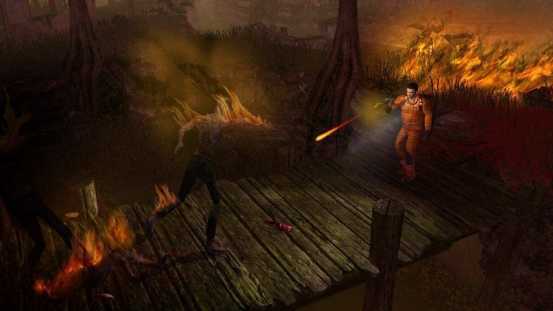
Attention zombie fighters! You can now equip yourself with a fireproof suit and learn how to craft incendiary bullets. After all, who doesn’t want to walk through flames while lighting zombies on fire? It’s not just for pyromaniacs kids, get ‘em while they’re hot! The Heatwave DLC wet for How to Survive is now available on XBLA and Steam:

08-KenjiDLC-Fire

• Heatwave DLC single character – Purchase a new, fireproof suit for Abby, Kenji or Jack for and learn how to craft incendiary bullets — $.99

• Heatwave DLC three characters – Purchase fireproof suits for everyone and learn how to craft incendiary bullets — $1.99

Developed by Eko Software, How to Survive puts players in the center of the action as someone who, after an accident, finds themselves on an island amidst a small archipelago off the coast of Colombia … but there are other inhabitants, many who are undead. There is nothing quite like being surrounded by a brain-hungry horde of zombies to get the adrenaline flowing … What will you do? Who will you trust? How will you survive?

HowToSurvive_DLC-Combo_MasterArt

How To Survive is priced at $14.99 for Xbox Live and Steam. A PlayStation Network version will be available later this fall as will a Wii U version via the Nintendo eShop.  Stay up to date with the latest survival techniques at https://www.facebook.com/HowToSurviveTheGame

06-AbbyDLC-Fire

You can still download How to Survive today with a 30% discount on Steam or you can try the demo on XBLA. The game will be released on Nov. 6th on the European PSN while the Wii U version release date is still to be confirmed.

Assassin’s Creed IV Black Flag Aveline Figurehead DLC free for PS Plus members

0

The PlayStation Europe twitter account today announced that the Assassin’s Creed IV Black Flag Aveline Figurehead DLC would be free for the next two weeks for PS Plus members.

AC4 DLC

So if you want this new DLC make sure you grab it now!

What do you think of Assassin’s Creed IV Black Flag? Let us know by leaving a comment below.

F1 Race Stars : Powered Up Edition Coming to Wii U This December

0

Today Codemasters announced that F1 RACE STARS: POWERED UP EDITION will launch in December for Wii U and will be available exclusively from the Nintendo eShop. F1 RACE STARS: POWERED UP EDITION is a fast-to-the-fun arcade racing game for all ages, expanded with fantastic new content and features to take advantage of Wii U hardware.

For the first time on a Nintendo platform, a cast of FORMULA ONE stars, including Jensen Button, Fernando Alonso, Sebastian Vettel have become personality-packed, cartoon heroes sprinting for the chequered flag in cars representing each team on a range of super-fast, feature-packed circuits perfect for split-screen multiplayer fun.

F1 RACE STARS: POWERED UP EDITION expands the world of F1 RACE STARS with four extra tracks and nine extra accessory packs. Racing on 15 circuits around the globe, players are challenged to race through marina and dodge flying tomatoes in Europe, whip through water gardens in China, make their move through a mountain railway pass and power through a palace in India and dodge the grumpy groundhogs and motor past the mighty moose in Canada.

f1 race stars

New content and functionality means F1 RACE STARS: POWERED UP EDITION will let players enjoy the unique advantages and gameplay options of Wii U. Features including racing as a player’s Mii and Wii U GamePad motion and tilt controls are integrated to use the GamePad as a steering wheel, display a map or let gamers choose to steam into the action on the GamePad.

With instantly accessible pick-up-and-play gameplay, F1 RACE STARS: POWERED UP EDITION will enable players of all ages and abilities to dive straight into position-swapping, wheel-to-wheel competition. With up to 4-players competing in split-screen multiplayer, head-to-head or coming together in teams, F1 RACE STARS: POWERED UP EDITION is perfect for sharing the fun with friends and family.

Racing fans of all ages will experience FORMULA ONE like never before as they dodge a Truckosaurus, speed past Robo-Sumos and leap into a shark’s mouth on speedy circuits inspired by 15 iconic tracks including Monaco, Silverstone and the new Circuit of Americas in Austin, Texas. Game modes include a range of globe-trotting Championships, Free Play so players can dive straight into their favourite events and Time Trials for players to set the best time in their household.

Coming this December and available exclusively from the Nintendo eShop, F1 RACE STARS: POWERED UP EDITION for Wii U is developed by Codemasters, the home of the BAFTA award-winning series of Official FORMULA ONE video games, and is created under exclusive worldwide agreement with Formula One World Championship Limited

KONAMI releases Castlevania: Lords of Shadow – Mirror of Fate via PSN

0

Today Konami released Castlevania Lords of Shadow – Mirror of Fate HD is now available on Playstation Network priced at Priced £9.99/€11.99.

Castlevania: Lords of Shadow – Mirror of Fate HD reveals the story of some of Gabriel Belmont’s descendants, including Simon and Trevor Belmont, as they battle their own destiny only to discover their true, shocking fate. Trevor Belmont, a knight of the Brotherhood of Light, sets out to avenge the death of his mother by his father, who has returned from years of exile to take up residence in a mysterious castle. What was once Gabriel Belmont is now Dracula, a powerful vampire. Dracula has declared war upon the Brotherhood and thus the scene is set for a cataclysmic showdown between father and son.

castlevania-lords-of-shadow-mirror-of-fate

In Castlevania: Lords of Shadow – Mirror of Fate HD, players take on the role of several characters, each of whom has unique abilities and skills across different eras. Featuring a huge array of combos and a deep strategic combat system, players can use their characters’ weapons and magical abilities to take down their evil foes. Fans will traverse immensely detailed levels and encounter enormous boss fights, all within a stunning setting that features beautifully-realised locations, and side scrolling areas that segue seamlessly into full 3D battles.

In addition to the HD upgrade and game play refinements new modes have also been added, including online leaderboards and the much-requested ‘Boss Rush Mode.’ Those buying Castlevania: Lords of Shadow – Mirror of Fate HD will also be given access to an exclusive playable demo of Castlevania: Lords of Shadow 2, the highly anticipated conclusion to the award winning trilogy.

Developed by MercurySteam.

http://www.youtube.com/watch?v=14inmGMHkx4