The Sony dash Personal Internet Viewer

5

Would you like your own little personal internet viewer delivering your favourite parts of the internet to you? If you would, then look no further than the new Sony dash Personal Internet Viewer.

HIDC10HIDC10_1HIDC10_2

Here is how Sony describe the dash:

The dash™ Personal Internet Viewer constantly delivers your favorite parts of the internet, all at a glance. Through BRAVIA® Internet Video, dash brings you instant access to a variety of movies, TV episodes, videos and music from a large selection of entertainment apps including Netflix®, YouTube™, Slacker® and more. And with over 1,000 free chumby® internet apps streaming your own personalized channel of news, games, social networking and more, dash offers a premium entertainment experience that only Sony can deliver.

You can use it to display your email, your Facebook updates and even Twitter, along with a whole host of other applications, movies, sites, Internet radio, etc.

It’s small enough to fit just about anywhere – in your kitchen, your living room or even on your bed side table so you can see what’s going on in your digital world when you wake up.

It has a 7 inch WVGA 800×480 LCD touch screen display, supports Windows Media Video 9 (up to MP@HL 1080p) Microsoft VC-1 (up to AP@L3 720p) MPEG 4.10/H.264 (up to MP@L4.0 1080p), is WiFi enabled and more.

The dash is currently available for pre-orders, with shipping due to start on the 14th April. The retail price is $199 and you can order it from here :

http://www.sonystyle.com/webapp/wcs/stores/servlet/ProductDisplay?sssdmh=dm11.173162&catalogId=10551&storeId=10151&langId=-1&productId=8198552921666081675&XID=E:springcatalogVAIO-LH_032510:dash#additionalImage1″

Currently there is no sign of this being released here in the UK, which is a shame as it looks very cool and I want one! Have a look at the video on the Sony website above to see what I mean!

Thanks to Greg Welch for the heads up on this little device.

My PowerPoint 2010 Book Is Finished

1

This week saw me putting the finishing touches to my PowerPoint 2010 In Easy Steps book.


PP2010 IES Cover


Why did I write a book on PowerPoint 2010 you might well ask? Well, while I was writing it I often asked myself the same question Smile


The answer was that I was asked to do it because I had written one on PowerPoint 2007 a few years back when a publisher I had written for previously had to find an author quickly.

Anyway, here we are and I am happy to say it’s finished, with the publisher and will be released around June time.


If you are interested in pre-ordering a copy, you can do so below:


Right, no more books from me for a while Smile Yeah, I know I have said that before, but I mean it this time. Time to concentrate again on UWHS!

Dragon NaturallySpeaking 10 and UWHS Giveaway

3

Back in January I did a quick review of Dragon NaturallySpeaking 10 : https://moviesgamesandtech.com/2010/01/27/dragon-naturallyspeaking-10-a-quick-look/

Our friends at Nuance have provided UWHS with 2 complete boxed sets of Dragon NaturallySpeaking 10 Preferred Mobile edition for us to give away to you, our readers.

Dragon NaturallySpeaking 10 Preferred Mobile includes the great Dragon software, plus a headset an also a cool digital recorder from Philips and is worth around £200 each, and we have 2 to give away.

Dragon UWHS Giveaway

So, what do you have to do to win one of these great sets?

There are three questions that you need to answer – and all the answers can be found here on UWHS (hint: search is your friend!)

Question 1: How many main editions of Dragon NaturallySpeaking 10 are there (hint, check the above article)?

Question 2: At this year’s CES in Las Vegas I did a video of a drone along with a post or two. Who makes that drone?

Question 3: How many devices can a Powermat charge at the same time just by using the mat itself?

Once you have all 3 answers, send them on an email to giveaways @ usingwhs.com (remove the spaces) with the title of the email Dragon Giveaway, along with your name and location.

The 2 winners will be drawn at random and announced on the site on Sunday 11th April 2010.

Good luck, and keep watching UWHS for more great giveaways in the future.

The Home Server Show Podcast 83

Dave and the guys over at the Home Server Show have released show number 83.

home_server_show_small

Here’s what Dave has to say this week:

The Home Server Show 83

The troubleshooting show.  We go over some errors and issues found in the forums and want to know what you think!

Network Driver Pack

Add-In Update: FirePlay for WHS

Troubleshooting in the forums

Not sure how well we will do in the drinking game this week……….

To find out, listen here as usual: http://homeservershow.com/the-home-server-show-83.html

Review of the Sans Digital MobileSTOR MS2UT+B 2 Bay Drive Enclosure

If you have a need to connect some SATA disks to your computer externally, you might want to consider using a drive enclosure. The Sans Digital MobileSTOR MS2UT 2 bay drive enclosure also provides a RAID solution if you want to protect the data on your drives.

WHAT IS THE MOBILESTOR?

The Sans Digital website describes the MobileStore:

The MobileSTOR MS2UT+B series is a fully loaded 2-bay external RAID solution designed for home and small business storage needs. With simplicity and flexibly in mind, this series is equipped with two hot-swappable 3.5” hard drive trays, as well as both USB 2.0 and eSATA host interfaces. In addition to RAID 0 and RAID 1, MS2UT+ also utilizes the latest Silicon Image 5744 chipset, supporting the newest SAFE33 and SAFE50 technology. SAFE33 and SAFE50 allows the creation of two hard drive volumes where 1/3 (SAFE33) or 1/2 (SAFE50) of the volume is used for mirroring and the rest is used for Spanning (Big). In comparison to SAFE (RAID 1) mode, which utilizes both hard drives for mirroring, SAFE33 and SAFE50 increase storage space by setting aside a portion of disk space for regular data storage while performing mirror simultaneously. By incorporating SAFE33 and SAFE50, the MS2UT+ eliminates the cost of additional hard drives needed for various storage modes.

FEATURES

  • Hardware RAID engine, supporting RAID 0, RAID 1, Spanning, JBOD, SAFE33, and SAFE50.
  • Drive interface: 2 x 3.5″ SATA I / SATA II hard drive.
  • Removable trays for fast access of additional hard drives and easy trouble shooting.
  • Utilizing the latest RAID chipset, supporting SAFE 33 / SAFE50 mode.
  • SAFE33 / SAFE50 creates two hard drive volumes where 1/3 or 1/2 of the hard drive volume is    used for mirroring and the rest is used for spanning (Big).
  • Temperature controlled cooling fan for quieter operations.
  • Supports Windows, Linux, and MAC OS X.

  • MS2UT frontMS2UT side

    MS2UT back

    SPECIFICATIONS

    Model :
    MS2UT+B
    Form Factor : Cube
    HDD Trays : 2 Hot-Swappable 3.5″
    RAID Level : Big (Spanning), Safe (RAID1), Fast (RAID 0), JBOD, SAFE33, &  SAFE50
    Maximum Capacity : 4TB
    Auto Rebuilding : Yes
    Host Interface & Transfer Rate : USB 2.0 (480Mbps) & eSATA (3.0Gbps)
    Drive Interface : SATA I / SATA II
    Cooling Fan : 1.6″ Ball Bearing
    Power Supply : 80W (110V~240V)
    Control Interface : LCD Panel
    Status Indicators : RAID Alarm, Fan / Temperature, Power LEDs
    Dimension (in) : 4.8″W x 8.0″D x 4.0″H
    Weight (lb) : 3.8
    Safety Regulations : CE, FCC, UL, RoHS
    Limited Warranty : 1 Year
    Package Contents :
    MS2UT+B (1)
    Removable Tray Modules (2)
    Power Cord (1)
    Hard Drive Tray Keys (2)
    RS232 Cable (2)
    USB 2.0 Cable (1)
    eSATA Cable (1)
    Quick Installation Manual (1)

    WHATS IN THE BOX?

    It’s quite a small box, and it contains the MS2UT, power cable, an eSata bracket, an eSata cable, and USB cable, a quick start manual, and some screws and keys.

    MS2UT boxMS2UT box

    MS2UT boxMS2UT box

    MS2UT box contents

  • The Media Center Show Podcast 250

    0

    Ian over at the Digital Lifestyle has just released the Media Center Show podcast number 250, yes 250!

    themediacentershow11_thumb_09837439

    Here is what Ian has to say about show 250:

    Welcome to show 250, 5 years and 250 shows since the first show back in XP Media Center days!

    Taking a look back and forward with me is Windows expert Ed Bott, we look at the longevity of XP, the trouble with Windows Vista and the success of Windows 7. Ed has some interesting views where the technology is heading and in particular the future for products like Windows Home Server, WHS enthusiasts get your email ready!

    Ed is always great to talk to and I really enjoyed chatting with him. I also have email and a look at the weeks news including new addins for Windows Media Center and speculations on Google TV

    I hope you like the new look of TDL and the new show theme music

    Congratulations Ian on reaching 250 from everyone here at UWHS!

    As usual you can listen to the show from here: http://thedigitallifestyle.com/cs/blogs/ian/archive/2010/04/01/the-media-center-show-250-ed-bott.aspx

    Monopoly – Windows Home Server Edition

    With the launch of a new ad campaign and a long awaited “update” to their software scheduled for beta release tomorrow, Microsoft has pre-shipped a special edition Monopoly game to its WHS MVPs. Guess who writes for a site run by a MVP?

    Monopoly

    I was fortunate enough to get a hold of a pre-ship(sale?) unit and can post some information on it since I am not on a NDA. I guess that at MIX10 they had a small table with a couple of cases of these and my favorite MVP had one sent to me by his web developer friend. I just got it today, someone transposed my ZIP, thanks Andrew :-(, and wanted to get it out before Microsoft’s Q3 release tomorrow.

    Monopoly

    MONOPOLY Game – The Windows Home Server Edition Property Trading Game from PARKER BROTHERS

    Approx. Retail: $29.99

    http://www.hasbro.com/monopoly/en_US/shop/browse/Monopoly/Microsoft/

    Item: 01219
    Ages: 8 to Adult

    America’s favorite game now teams up with Microsoft’s first “Stay At Home” Server. Players move around the gameboard buying up Microsoft Windows Home Server properties, including One Microsoft Way, Acer Avenue, MediaSmart Circle and the Lenovo Lane. Includes gameboard, 8 movers with carry bag, 28 Title Deed cards, 16 Chance cards, 16 Community Chest cards, 1 pack of MONOPOLY money, 32 green houses, 12 red hotels, 2 number dice, 1 speed die, Microsoft Windows Home Server scorepad, 6 “username” strips and instructions.

    Do not know if the wife will want to play it but I am sure I can get the neighbors in on it if I buy the beer!

    Sweet!

    Tim

    Obviously this was an April Fool, which is a shame because how cool would WHS Monopoly be?

    engadgetHD review of the Ceton InfiniTV4

    All rights reserved. Engadget HD 2010 All rights reserved. Engadget HD 2010

    Many of us have all been waiting for the Ceton InfiniTV4 tuner details and engadgetHD has just published the first review.

    A couple of quick highlights from the article:

    • PCI-E drawing approximately 14 watts
    • Maintains Copy Control Information (Provider based)
    • Tuning Adapter Support (one Motorola or two Ciscos)
    • All four of the InfiniTV’s tuners (must) be paired to the same Media Center PC

    Many of the Ceton cards restrictions and limitations are due to the CableLabs specifications

    The full article can be found at:

    http://hd.engadget.com/2010/03/30/ceton-infinitv-4-cablecard-tuner-review

    Tim

    Where to locate hardware drivers with Windows Home Server

    Tranquil PC have been in touch to tell us about a really useful article they have posted that should help you when restoring a computer using Windows Home Server.

    When you need to Restore your Home PC from the Home Server, you will use the Home PC Recovery CD.  This CD has all the files and drivers you need, but from time to time, you may get a message that there are no Ethernet or network drivers available or installed.  If you get this message, you need to get the drivers for your Home PC LAN device, put them on a spare USB key and then ask the Restore Wizard to Install the drivers.  To locate the drivers please follow the information below.

    Every time Windows Home Server backs up a home computer, it saves the drivers for the computer in the backup file. If you need to access the drivers for any of your home computers (for example, during a computer restore), you can open a backup for that computer and copy the drivers to a USB flash drive.

    To copy drivers from a computer backup

    1. Connect to the Windows Home Server Console.
    2. On the Computers & Backup tab, click the computer that you need drivers for.
    3. Click View Backups.
    4. Select the most recent backup, and then click Open.
    5. Select a volume to open (any volume will work), and then click Open. A window opens showing the files and folders in the backup.
    6. Plug in your USB flash drive.
    7. Copy the Windows Home Server Drivers for Restore folder from the open window to your USB flash drive.
    8. Remove the flash drive, and then insert it into the computer that is being restored.

    Now you can use the USB flash drive to install drivers for your computer’s hardware when restoring a computer. The drivers you are most likely to need during a computer restore are the network driver and the storage-device driver.

    If you have still any difficulty with your LAN driver, as occasionally occurs – you may wish to download the Tranquil DriverPack (LAN) – please download the zip file, unzip it and save all of the files to a spare USB stick us as above.

    The Tranquil DriverPack is available from :

    ftp://92.63.136.57/LAN_Drivers/ (and locate your specific device), or

    ftp://92.63.136.57/LAN_Drivers/LANPACK.zip (download the (68.5MB) LANPACK.zip to get all the available LAN drivers)

    For more information, including a list of drivers the pack contains, click here: http://tranquilpc-support.co.uk/

    Thanks to David at Tranquil for the heads up!

    Tech Tip on a Tuesday – TiVo still has Copy Protection.

    If you thought TiVo might be an alternative for recording TV and cable to your WHS you may want to take a few minutes and read this.

    ©1998-2010 TiVo Inc. All rights reserved. TiVo and the TiVo logo are registered trademarks of TiVo Inc. and its subsidiaries worldwide.

    Understanding Copy Protection – Why?

    The main “thing” to understand is that the service provider (Charter in my case) is the determining factor in selecting which shows have what is called Copy Protection. Some of you may not be aware of how this affects you.

    If you use an antenna and TV tuner or a product like the HDHomeRun with your PC, then anything you record (over the air – OTA like VHF and UHF) is Copy Freely, by definition. Copy Freely is free programming you can move and copy wherever you want.  If you have a Windows Home Server you can even tell your Windows Media Center PC to move those OTA TV shows to the WHS. Once those shows are on the WHS you can then watch them from ANY PC with Windows Media Center on your network. It works the way God and Bill planned it to work.

    However…

    If you have cable service and “premium channels” you need a CableCARD and a CableCARD compatible tuner to watch and record shows through Windows Media Center. The original ATI CableCARD tuner, the new Ceton card, the HDHomeRun CableCARD tuner and TiVo all work and function the same way. All these devices take their Copy Control Information (CCI) from the service provider via your CableCARD. This means that no matter which CableCARD device you use, you are pretty much stuck watching it on the PC that recorded it. If you already have a set-top-box (STB) or cable DVR, which already has a built-in CableCARD and Tuning Adapter, then you do not see any of these background tags since the programming never leaves the STB. Things only get Copy Protected once you record them with a PC or TiVo.

    From Wiki at http://en.wikipedia.org/wiki/Copy_Control_Information

    The two most popular flags used are Copy Freely and Copy Once. Copy Freely is essentially no flag at all, while Copy Once means that a DVR can make one copy, but no more copies can be made. The best examples of these in use are in regards to the TiVo HD and Windows Media Center. A show that is marked Copy Once can not be transferred to another TiVo via the Multi-Room Viewing feature and can not be transferred to the computer via TiVoToGo. In regards to Windows Media Center, shows marked Copy Once can only be played on the same PC in which they were recorded and the directly connected to an Extenders for Media Center like the Xbox 360 — ATI Digital Cable Tuner must be running firmware 1.19.12 or Copy Freely is treated like Copy Once.

    So which channels are “Copy Freely” and which are “Copy Protected”? As a general rule of thumb anything over the air (OTA) is usually Copy Freely while channels like HBO, Discovery, HDNet, SyFy are Copy Protected. Again, your service provider makes the determination so you just have to deal with how they tag each show. Yes, Copy Protection is not just by channel, it can be by show too!

    Do not be frustrated with your equipment as the PC, tuners and network all take their orders from the CableCARD!

    For more information see the review of the ATI CableCARD tuner I wrote last year at:

    https://moviesgamesandtech.com/2009/11/15/reviewing-cablecard-recorded-tv-in-windows-media-center-on-a-friday-night/

    TiVo and Copy Protection – What does this mean?

    TiVo works very similar to a HTPC or Media Center PC. With TiVo you also need the CableCARD in the back of the TiVo and (possibly) a Tuning Adapter. Based on the Copy Protection as described above, your TiVo, while it functions perfectly as a set-top-box, will not give you any advantage over a CableCARD tuner connected to your PC.

    So you have to pay $299 for the base TiVo unit and $12.95 per month for the TiVo service. You also need to have an existing cable connection, Tuning Adapter and a CableCARD which ranges from $2-$5 per month. In addition, if you want to record to a PC you have to pay $24.95 for the software to convert the “non-Copy Protected” files to another PC a portable format. Fortunately for HP users the WHS Add-In is free!

    Here is some of the fine print:

    Files with digital rights management (DRM) or other copy protection are not supported.

    * CableCARD required for receipt of digital cable service. Additional fees may apply from your cable provider.

    ** Broadband Internet connection required for video downloads. Additional third-party fees may apply.

    † TiVo Desktop or TiVo Desktop Plus required. TiVo Desktop Plus sold separately.

    I just verified on the TiVo site that anything with “Copy Protection” (Charter puts it on almost every channel) will not be shared with PCs connected to TiVo. This is not really a shocker but I did have to look around to find it. The TiVo will work similar to my ATI CableCARD tuner in that only the basic OTA network stations will be free from Copy Protection. Any other channels, like SyFy, HDNet, HBO etc. will not be able to be shared, viewable on other PCs or even encoded for portable devices.

    Directly from the TiVo website I found: http://www.tivo.com/mytivo/product-features/dvr-to-go/index.html

    Not all programs may be transferred using the Multi-Room Viewing or TiVoToGo features due to the use of copy protection mechanisms permitted under the FCC’s encoding rules. Some shows cannot be transferred due to the copy protection assigned them by the program provider. These shows usually are marked with a red circle-slash icon. (47 C.F.R. 76.1904)

    Get used to the Red Circles. They are everywhere!

    I am not bashing TiVo, but they do not leave me a lot to work with here. So ok, the TiVo has some good scheduling options but not much more than Windows Media Center considering the price. If there is some great part of TiVo I left out I would be glad to hear about it!

    I am heading to my sisters soon to install the HP Add-In on her LX195 and see if her TiVo will record to it. If it does I will try the playback on the Dell Zino I bought her. I will write an article next month on that topic!

    The TiVo Add-In only seems to be for the 3.0 Software!

    Tim

    ©1998-2010 TiVo Inc. All rights reserved. TiVo and the TiVo logo are registered trademarks of TiVo Inc. and its subsidiaries worldwide.

    Exclusive Review of the Tranquil PC SQA Superstor Windows Home Server and SQA-Ex

    Last week Tranquil PC announced their new Windows Home Server – the massive SQA SuperStor. Well here at UWHS we managed to get our hands on one for an exclusive review, a few weeks before it’s actually shipping.

    Tranquil describe the SQA Superstor :

    Do you have a large media collection? The SQA SuperStor is possibly the world’s largest non-industrial digital storage appliance when coupled with suitable HDD housings, i.e. the SQA-Ex – servicing up to 40TB (40,000GB) of data capacity ! That’s approx 9000 DVDs or 60,000 CDs

    superstor1_original

    Basically, the Superstor is an enhanced Series 2 SQA-5H with the addition of a couple of extra eSata ports. Make no mistake though, that makes a lot of difference to the expansion possibilities. We reviewed the Series 2 SQA-5H here: https://moviesgamesandtech.com/2010/02/09/in-depth-review-of-the-tranquil-pc-sqa-5h-safe-windows-home-server/

    THE SQA SUPERSTOR

    The SQA Superstor looks pretty much identical to Tranquil PC’s SQA-5H Windows Home Server. In fact, on the model we had to review, it says SQA-5H on the case (although this may change before release).

    SQA Superstor Front

    The big difference between the SQA-5H and the Superstor is that the Superstor has 3, yes count them, 3, eSata ports, and each one is capable of being used as a port multiplier. Again, on our review model the eSata ports were hand cut on the casing so this is not quite what the finished one will look like.

    SQA Superstor Back

    Features :

    2GB Memory (upgradeable)

    Dual core D510 Intel CPU

    1TB Low Power / Low noise HDD

    4x spare HDD slots

    Server recovery pack

    3x eSATA ports – all supporting Port Multiplier* (i.e. 5x HDDs can be added to each eSATA port)

    3 year warranty

    Specifications

    Unit dimensions
    213 (W) x 221 (D) x 195 (H) – incl feet

    Unit construction
    Enamelled steel (typically >70% recycled materials)

    CPU cooling
    Internal CPU and chipset aluminium heat sink (fan less)

    CPU
    64 bit ready Intel Atom D510 (2×1.66GHz) Dual Core

    Memory
    2x DDR2 667/800MHz (2GB fitted, one slot free)

    HDD
    1 – 5x 3.5? Western Digital (Green Power) – or user fitted 3.5? SATA2 HDDs

    Colour options
    Satin Black or High Gloss White

    Front panel
    Power, Mode and Backup switches, multi-coloured status LEDs and 2x USB2.0

    Rear panel
    12V DC power in / 4x USB2.0 / 10/100/1000 LAN / 3x eSATA (with Port Multiplier). Desk Lock

    Weight
    Base unit (nett) 6Kg (1x HDD fitted)

    Packing box
    310 (W) x 320 (D) x 290 (H) (external)

    Power supply
    Universal (50/60Hz – 110/240V) External AC/DC with country specific power cord

    HDD support
    1 – 5x 3.5” HDD supported (SATA2)

    Working temp
    Maximum 44’C ambient

    Acoustics
    ~23dBA (1x HDD)

    HDD Cooling
    Hot swap 8cm Fan, with optimised speed / acoustic control

    Mounting options
    Desk

    Power consumption
    21W (base unit, with 1x HDD)

    Software
    Windows Home Server PP1, 2 and 3 pre-installed
    Media Pack, with Start-up CD, Restore CD, Restore DVD and USB boot key
    AVA Media CD ripping engine
    iTunes Server
    Logitech Server

    Unboxing the Asus TS Mini Windows Home Server

    The very nice FedEx man just delivered the Asus TS Mini Windows Home Server to me.

    I will be doing a proper review later but for now I thought I would post a couple of quick pictures.

    IMG_2231IMG_2235

    IMG_2237

    EX470 Memory Upgrade on a Friday night – Video Edition

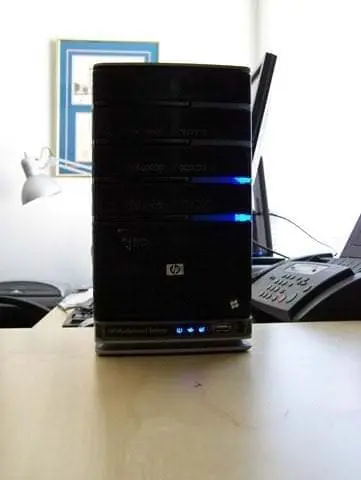
    Do you have a HP EX470 and want to upgrade to the HP 3.0 Software release? If so, you should upgrade the memory to 2GB. This week I made a video with John “Diehard” Zajdler walking me through the EX470 memory upgrade!

    EX470 Memory Upgrade

    Background

    My parents EX470 has been running well since November of 2008. I had the main drive fail last year (just before warranty was up) and HP me sent a replacement drive. I was up and running the next day. Thank you HP for great service and a great product!

    Now that the EX470 is out of warranty I am going to upgrade the memory from 512MB to 2GB. It would not have voided the warranty to change the memory before, but I had no reason to upgrade it before now. Once the memory upgrade is complete I will be able to install the HP 3.0 Software upgrade!

    In addition, HP never released any documentation on servicing the EX470 so the memory upgrade is at YOUR OWN RISK.

    Equipment Needed

    • 2GB 240-Pin DDR2 SDRAM DDR2 667
    • John Zajdler (Optional)
    • Torx T15 and Phillips #00 Screwdriver
    • Two Pints (Optional as always, pints are 16 ounces so adjust accordingly)

    Memory Purchase

    You should purchase the 2GB 240-Pin DDR2 SDRAM DDR2 667 (PC2 5300). I installed the Patriot brand but there are other manufacturers out there.

    Make sure you get just ONE chip and NOT a pair of 1GB!

    Patriot 2GB

    http://www.newegg.com/Product/Product.aspx?Item=N82E16820220231&Tpk=N82E16820220231

    Kingston 2GB

    http://www.newegg.com/Product/Product.aspx?Item=N82E16820139039&Tpk=N82E16820139039

    I bought mine on sale a while back at Newegg so you might want to shop around for the best deal. Do not forget to use BING!

    EX470 Memory Upgrade

    EX470 Memory Upgrade Video – Watch in 720 HD.

    I had seen instructions and videos on HomeServerShow and Home Server Hacks but I wanted to do something a little different. I used my Sony Webbie, a tripod, LifeCam HD, 9 inches of Scotch brand tape and Skype’d up John Zajdler.

    EX470 Memory Upgrade

    The process is mostly edit free but I had to break it into four videos because of the 10 minute YouTube time limit. In addition,  I had Skype sound issues so keep your hand near the volume.

    Conclusion – Upgrade Successful

    I was fortunate enough to have one of the best hardware people out there to walk me through the process. With these videos you now also have a copy of that resource. Do not worry and take your time!

    After John and I completed the upgrade John asked me to plug it in to give it a try. I connected the power plug and Ethernet connection and waited for the blue lights. Three minutes later I had a third server on my network! Sweet.

    EX470 Memory Upgrade

    EX470 Memory Upgrade

    Thank you to John Zajdler for walking me through the upgrade.

    See you next Friday night,

    Timothy Daleo

    EX470 Support – Not Available

    The EX470 is no longer supported (according to the HP website) so you will not find anything of value on the HP website regarding parts.

    EX470 Memory Upgrade

    You will find some old part numbers but that is about it.

    EX470 Memory Upgrade

    EX470 Specifications

    These are not needed for the memory upgrade but since support is up I would suggest downloading them and putting them on your server somewhere just incase you ever want to reference the original documentation in a digital format.

    HP EX470/EX475 MediaSmart Servers (3493.0KB, PDF)

    HP EX470, EX475 MediaSmart Server – User’s Guide

    HP MediaSmart Server – Installation and Troubleshooting Guide

    Tranquil PC Announce the SQA SuperStor Windows Home Server

    Tranquil PC today announced the SQA SuperStor, which is a Windows Home Server capable of being expanded to support 20x 2TB HDDs, so if you want to store 40,000GB if data you can!

    superstor1_original

    In response to many requests to expand the SQA past the 10x HDD* limit, Tranquil launches the SuperStor.

    ( * not incl USB ports)

    Do you have a large media collection? The SQA SuperStor is possibly the world’s largest non-industrial digital storage appliance when coupled with suitable HDD housings, i.e. the SQA-Ex – servicing up to 40TB (40,000GB) of data capacity !

    That’s approx 9000 DVDs or 60,000 CDs (or approx 12,000,000 MP files)

    Available to order now, shipping from 12th April 2010.

    Special Introductory Offer save £40.00

    Check out http://www.tranquilpc-shop.co.uk/acatalog/SQA-SuperStor.html

    Features :

    2GB Memory (upgradeable)

    Dual core D510 Intel CPU

    1TB Low Power / Low noise HDD

    4x spare HDD slots

    Server recovery pack

    3x eSATA ports – all supporting Port Multiplier* (i.e. 5x HDDs can be added to each eSATA port)

    3 year warranty

    *Port multiplier technology allows you to connect a single eSATA cable from the host (SQA SuperStor) to the slave (the SQA-Ex). Each drive inserted into the slave unit can be seen and accessed as if it was locally connected. There is no evidence of reduction of data flow when using this technology. Other port multiplier housing can be used but check that the box supports the Silicon Image Port Multiplier Technology, the SQA-Ex is possibly the best choice, not only does it look similar the SQA-SuperStor, but the HDD bays are all tool-less as they are on the SQA-SuperStor

    Specification

    Unit dimensions 213 (W) x 221 (D) x 195 (H) – incl feet
    Unit construction Enamelled steel (typically >70% recycled materials)
    CPU cooling Internal CPU and chipset aluminium heat sink (fan less)
    CPU 64 bit ready Intel Atom D510 (2×1.66GHz) Dual Core
    Memory 2x DDR2 667/800MHz (2GB fitted, one slot free)
    HDD 1 – 5x 3.5″ Western Digital (Green Power) – or user fitted 3.5″ SATA2 HDDs
    Colour options Satin Black or High Gloss White
    Front panel Power, Mode and Backup switches, multi-coloured status LEDs and 2x USB2.0
    Rear panel 12V DC power in / 4x USB2.0 / 10/100/1000 LAN / 3x eSATA (with Port Multiplier). Desk Lock
    Weight Base unit (nett) 6Kg (1x HDD fitted)
    Packing box 310 (W) x 320 (D) x 290 (H) (external)
    Power supply Universal (50/60Hz – 110/240V) External AC/DC with country specific power cord
    HDD support 1 – 5x 3.5” HDD supported (SATA2)
    Working temp Maximum 44’C ambient
    Acoustics ~23dBA (1x HDD)
    HDD Cooling Hot swap 8cm Fan, with optimised speed / acoustic control
    Mounting options Desk
    Power consumption 21W (base unit, with 1x HDD)
    Software Windows Home Server PP1, 2 and 3 pre-installed
    Media Pack, with Start-up CD, Restore CD, Restore DVD and USB boot key
    AVA Media CD ripping engine
    iTunes Server
    Logitech Server

    If you want to know more about the SuperStor and the SQA-Ex, then keep an eye on UWHS this weekend. I can’t say any more right now or the Tranquil heavy mob will be knocking on my door!