We recently got to play with the multiplayer beta of Ubisoft’s Ghost Recon Future Solider, and it was good, really good!
In Ghost Recon: Future Soldier join an elite team of highly trained, cut-throat special-ops soldiers. Armed to the teeth with unrivalled combat technology and cutting-edge military hardware, Ghost Recon takes you to the globe’s most deadly warzones to hunt down the highest value targets.
In the multiplayer beta, up to twelve simultaneous players would have the opportunity to choose from three classes (Rifleman, Engineer and Scout) and experience the intense adversarial online action in two different modes:
Conflict – players battle to complete objectives located throughout the map and earn points, the team with the most points at the end of the round wins.
Each Game session would be 1 round of 15 minutes.
The gameplay was excellent and it wasn’t long before I was shooting at the enemy, and then being killed by those very same enemies! There are different weapons and tactics to use even after only a few minutes of playing I knew that I would be spending a lot of time on this game when it’s released!
Here are some images of the game to keep you going…
Tom Clancy’s Ghost Recon Future Soldier will be available on May 22nd for the Xbox 360 video game and entertainment system from Microsoft and the Sony PlayStation 3 computer entertainment system. It will be available for Windows PC on June 12th.
Have you played it yet? What do you think? Let us know.
Was it possible to design and manufacture a fan less, reliable, silent, and desirable PC?
That was the question 10 years ago. Since then Tranquil have shipped 10,000s of systems all over the world – for use in 100s of different applications.
We have always striven to deliver the best available products and our award gallery is testimony to that.
Reducing the cost of computing has also been important, and the low running costs and long term reliability of our systems has saved millions of pounds to our customers.
Providing an environmentally friendly product has also been at the heart of our designs, and over the years the carbon foot print of our products continues to reduce.
Here are the special discount codes to use:
SAVE 20% of ANY order placed online, before 10th May
use this COUPON CODE – 10THSPECIAL20
SAVE 10% of ANY order placed online, during May 2012
When Microsoft removed Drive Extender from Windows Home Server 2011, Covecube jumped in and brought us StableBit DrivePool to replace the functionality. In the next of our giveaways, you could win a full licence – and we had five to give away. And now it’s time for the results.
Here is how CoveCube describes this application:
Combine all your hard drives into one big storage pool (except the system drive with the OS).
Add and remove drives from the pool at any time without re-partitioning or manually moving folders.
Create duplicated folders on the storage drive pool that are protected against single drive failure. If a drive fails on which a duplicated file was stored, the contents of that file will remain readable even without the drive.
All your data is stored in standard NTFS files. You can always access your files even if the Windows Home Server completely crashes or this add-in can’t be used.
The Winners are…..
DWO
Hill John
Russell Crawford
Sean Gray
Scott Wheeler
Well done to the five winners, and thank you to every one for entering, and thanks again to Covecube for the licences. We will have another giveaway starting very soon!
The guys over at the BYOB podcast, including our very own Tim Daleo have just released episode 85.
Here is what is included in this weeks show:
[box style=”rounded” border=”full”]Special Guest Chris Barnes from the DMZ podcast thEndUsr joins us to discuss his systems. We’ll also tackle nVidia’s GTX690. Amazon plays me too with their cloud drive. Playon is told to move on. [/box]
This review covers the “Personal” version of CoPilot Live Premium. There are also “Truck” and “Enterprise” versions available – see the CoPilot website for more details.
CoPilot Live is GPS route navigation for the iPhone, iPad, Android and Windows Mobile devices. I’ve been trying it out on Android 2.3 on a Galaxy Note. This is what they say about their product:
“Combining advanced navigation technology with breakthrough design simplicity, CoPilot Live Premium guides you where you need to go by the way that suits you best. Featuring unique new routing features and a completely redesigned, interactive user interface that makes navigation features more accessible and useful – CoPilot Live puts all the features you need for accurate navigation, right at your fingertips.”
Features
They’re absolutely right that CoPilot offers some great features that are still missing from the market leaders like TomTom (last time I checked). CoPilot have really made the most of having a high-definition touch-screen. If your route isn’t quite right, you can use your finger (or stylus) to move the route – particularly good if the postcode hasn’t put the destination quite where you want it. If you’ve used the similar feature on Google Maps, it will feel very familiar, and is a very welcome feature in sat nav software.
The interface and voice guidance is available in a huge range of languages. Most voices are free, and there are some premium ones too; on Android, these are purchased via Google Play (Android Market). To save space, you download voices as you want to use them, so it’s best to set the software up while you’re connected to WiFi. There’s a nice range of free UK voices to choose from, and those who prefer an American accent can choose from two free ones.
The map display can take advantage of smart phones’ orientation detection and display either in landscape or portrait. As a note, you have to choose “use phone setting” in the display settings to enable auto-rotation as it’s locked to landscape by default. The maps can be displayed in 2D or 3D, with or without directions side-by-side, and you can have two other configurable items of information like speed, ETA, arrival time etc too. You can set up different day/night colour schemes, with a choice of five day and five night schemes. The software can automatically switch between day and night displays automatically on phones that have light sensors (most now do). You can choose to have Points of Interest displayed on the map, or not, or only when you’re stationary, which avoids distraction. The display includes ClearTurn, which displays the upcoming junction for a configurable distance before you get there and also shows clear lane markings, so you know which lane to use when approaching a large junction. Inclusion of real signpost information means that what you see on the screen is what you should look for out of the window on the signs.
There are of course routing options so you can avoid certain types of roads, tolls, ferry links and so on. When you enter locations, the software predicts what you’re typing, so usually you need only enter the first few characters of a street, and then select it from the list that appears.
The software has a premium subscription ActiveTraffic service. It uses real-time traffic flow information to intelligently calculate the fastest route around traffic jams and view an accurate ETA to your destination. CoPilot Live’s optional ActiveTraffic service automatically monitors your route for delays as you drive and will alert you if a quicker, alternative route is available, along with a preview of the route and the amount of time you’ll save. The service requires an active mobile internet connection.
Safety camera information can be enabled, and the distance warnings are given at configured to your liking. There’s also a premium fuel price subscription service, allowing you to find the cheapest pumps.
If you’ve had a few tickets, you’ll be pleased to hear that CoPilot Live allows you to set speed limit warnings. The software knows the limits on most roads and can be set to warn you if you exceed the speed limit by a configurable amount.
The software includes social media integration so you can share your journey information with friends, family and colleagues via Facebook and Twitter.
I happen to be friends with an astronomer, and he loves the great GPS information screen that tells your latitude and longitude to six decimal places, plus a GPS-calculated elevation – very handy for star gazers and hikers alike.
There are some power saving settings, including the ability to turn on a power saving setting at 30% battery or less (or permanently), which decreases the frame rate of the map display, saving valuable battery power.
Other features include weather reports, find-where-I-parked, location saving, wikipedia places, and roadside assistance erm…assistance!
The features differ slightly from platform to platform, so be sure to check out their website for more details
Connected Digital World Score
I can’t fault CoPilot Live – it does everything I wish my TomTom could do and more, so I’m giving it the CDW Gold Award.
Prices on Google Play
Prices* for CoPilot Live Premium for Europe and North America are:
CoPilot Live Premium UK + IRE: £20.82
CoPilot Live Premium Europe: £33.32
CoPilot Live Premium USA: £12.32
*Correct at time of writing. Click the button below for current prices.
The ActiveTraffic subscription (after the current offer of 12 months free expires) is £9.98 per year, and the Fuel Prices subscription is £7.98 per year.
The SuperTooth HD BlueTooth Car Speakerphone is one of the best in-car Bluetooth speaker devices. Featuring dual speakers, dual microphones and easy-to-use large controls, the SuperTooth HD is well designed and provides excellent audio quality, both incoming and outgoing. In this video, I demonstrate the device and some of its basic functions.
That demonstration doesn’t cover the SuperTooth HD’s more advanced features. There are some out-of-the-box features, and some premium subscription features, but the included features are enough to make this a worthwhile purchase on their own. The ready-to-go features include:
Strong magnetic detachable sun visor clip – leave the clip there, take the HD with you.
Twin Speaker V Array Technology® for enhanced audio power.
Dual speakers, noise cancellation and dual microphones.
Large volume control with push-to-dial and voice command features.
Day/night automatic interface light dimming.
Talk time: 20 hours. Standby time: 1000 hours. Charging time: 3 hours (via in-car or normal USB, provided)
Six interface languages: UK and US English, French, Spanish, Italian and German.
True multipoint connection – connect two phones simultaneously. Useful if you have a business and a personal phone.
Firmware upgrade support via USB cable.
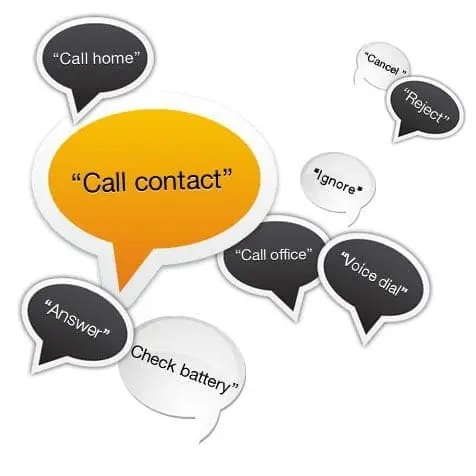
Voice commands:
“Check battery”
“Am I connected?”
“What can I say?”
“Voice dial”
“Redial last number”
“Call home”
“Call office”
“Call voicemail”
“Call emergency”
“Call contact 1”
“Call contact 2”
“Call contact 3”
“Call contact 4”
“Call contact 5”
“Cancel”
“Answer”
“Reject”
“Ignore”
“Voice dial” taps into your phone’s native voice dialling functions. You can also set up contacts in your phone’s contact list which have specific names (described in the instruction booklet), which then allow you to use “call contact 1” and so on. When you have an incoming call, the device beeps and allows you to tell it to answer, reject or ignore the call.
Hands Free Assistant
The SuperTooth Handsfree Assistant feature composes and sends SMS, e-mails, Facebook messages and Twitter notes by using your voice. The SuperTooth HD can also read incoming SMS and e-mails (for Androids and BlackBerrys only). This service is powered by Dial2Do. This is a premium service, but the device currently comes with a free 6-month subscription (in the UK).
Connected Digital World Score
This is the clearest, most feature-rich bluetooth speakerphone I’ve ever used, which is why it gets a CDW Gold Award – 5 out of 5. If you need to talk on the move, you need one of these!
The Facebook app for Android has been updated bringing with it improved performance and more messaging features.
Share and stay connected with your friends with the Facebook for Android app.
Facebook for Android helps you connect with your friends and share on the go. Upload a photo, keep up with friends’ photos and status updates, look up a phone number, and more – right from your Android device.
What’s in this version:
Improved performance and various bug fixes
More messaging features like creating group messages and adding friends to existing group conversations
Shortcuts to share photos and messages right from your home screen
1.9.1: This version also includes updated shortcut icons and additional bug fixes based on user feedback.
1.9.2 includes additional bug fixes and removes the camera and messaging shortcuts.
Have you always wanted to fly a remote controlled quadricopter, especially one equipped with a 720p camera and integration with YouTube and Picasa online services? If so, I have the product for you: the Parrot AR Drone 2.0 quadricopter.
I ordered a Parrot AR 2.0 drone the other day. Enjoy the unboxing post!
About PARROT
Parrot, a global leader in wireless devices for mobile phones, stands on the cutting edge of innovation. The company was founded in 1994 by Henri Seydoux as part of his determination to drive the inevitable breakthrough of mobile phones into everyday life by creating high-quality, user-friendly wireless devices for easy living. Parrot has developed the most extensive range of hands-free systems on the market for cars, motorbikes and scooters, including wireless multimedia products geared towards audiovisual applications.
In 2008, Parrot launched a new prestige line of high-end products bearing the hallmark of renowned artists.
In 2010, Parrot launched a flying wifi Quadricopter with Augmented Reality video games, the Parrot AR.Drone.
Parrot, headquartered in Paris, currently employs 450 people worldwide and generates 85% of its sales overseas. Parrot is listed on NYSE Euronext Paris since 2006.
Euronext Paris – Eurolist C: FR0004038263 – PARRO www.parrot.com
Here is how Parrot described the AR Drone 2.0 when announced at CES:
At CES Las Vegas 2012, Parrot, a global leader in wireless devices for mobile phones, reveals the AR.Drone 2.0, the new generation of its renowned high-tech quadricopter that can be controlled by Wi-Fi using a smartphone or tablet.
With a new high-definition camera, video recording, flight data sharing, new piloting mode, increased stability and brand-new look, the AR.Drone 2.0 offers an experience like no other!
A flying HD camera
While in flight, the Parrot AR.Drone 2.0′s front camera transmits real-time what the quadricopter sees onto the pilot’s device screen.
For the first time the AR.Drone 2.0 camera, with a 1280×720 resolution, shows a view from the sky in high definition with smooth and unbelievable images.
The pilot enjoys an experience like never before, as if he was on board. For gaming purposes, this camera also can recognize specific shapes and colors to show augmented-reality elements on the smartphone’s screen.
Record and share flying experiences
Thanks to the new AR.FreeFlight 2.0 piloting application, players can record their own HD videos and watch them or share them with the AR.Drone community.
Additionally, with the “travelling” feature, the pilot can film HD video sequences like a professional! Simply select the direction of travel (forward, back, sideways) and the duration, and the AR.Drone 2.0 does the rest.
AR.FreeFlight 2.0, a new piloting and sharing platform
In addition to flying the AR.Drone, new application AR.FreeFlight 2.0 – available to download for free from the AppStoreSM and AndroidTM Market – offers players a new interface and several options.
– FreeFlight: Access to the piloting application. The pilot can record flights, take HD videos or photos and save them in the piloting device. All the flight data (altitude, speed, duration and place) can be saved, checked by the pilot and shared with the community. – Guest Space: Access an overview of the AR.Drone 2.0, the best flight videos and practical information. – Drone Update: Access the AR.Drone 2.0′s free software updates. – AR.Drone Academy: Get geolocation data of the best flight zones, watch other pilots’ videos and access their shared flight data. – AR.Games: Access applications/games available for the AR.Drone. – Photos/Videos: Directly access your own videos and photos. Watch or upload to YouTube for the community to enjoy.
Parrot AR.Drone 2.0 Coming in 2012
Parrot AR.Drone 2.0 will be available for purchase at selected retailers in Q2-2012 in the United States for $299 MSRP
WinZip for iOS has been updated to version 1.1.1 and you can download it now for free!
WinZip, the leader of file compression for over 20 years and the creators of WinZip the world’s # 1 zip utility for file compression, file sharing, file encryption and data backup.
With WinZip, a zip file management application for iPhone and iPad you can:
– Open Zip files and Zip attachments from email
– Browse and view Zip files, including multi-file attachments
– Open encrypted Zip files
– Copy the contents of Zip files to the clipboard
– View Zip file attachments from webmail (Yahoo, Gmail, Hotmail, etc)
Zipped file types that can be previewed:
– .txt, .doc, .docx, .xls, .xlsx, .ppt, .pptx, .rtf, .pdf, .key, .numbers, .pages, .htm, .htm, .jsp, .bmp, .jpg, .jpeg, .tif, .tiff, .png, .gif
An easy-to-use interface for quickly opening and manage compressed Zip files on your iPhone and iPad.
What’s New in Version 1.1
• Support for unencrypted RAR files
• Extract files and “open in …” another app
• Save files extracted from Zip or RAR files
• Improved notification for archives that use an unsupported compression or encryption method
• Bug fixes
I use WinZip all the time on my PC, so it’s going to be very useful to have it on my iPhone and iPad!
If you have, or are interested in the Raspberry Pi, then you might want to download the first issue of a new digital magazine called The MagPi.
This is how the Raspberry Pi guys describe the magazine:
The MagPi, a free online magazine dedicated to the Raspberry Pi, whose first issue was released a few days ago, is a perfect example of that. It’s been put together entirely by volunteers, guided by Ash Stone, Jason “Jaseman” Davies, Meltwater and other names you may recognise from the forums and comments on this site. I was broadly aware they were up to something, but I was amazed at the scope of what they sent me to look at earlier in the week, and I’ve been really, really impressed by the first issue. There are Debian and Puppy guides, articles on computing history, ideas for robotics projects, tutorials in Scratch and Python (with code you can type in yourself, just like in the good old days), features about the Raspberry Pi itself, and other goodies to dig into. I really can’t recommend it enough, and if you haven’t been lucky enough to get to the head of the queue, you don’t need a Raspberry Pi to find it useful (you might actually find the magazine good preparation before yours arrives).
It is a really interesting read – so go download it today, and let us know what you think!
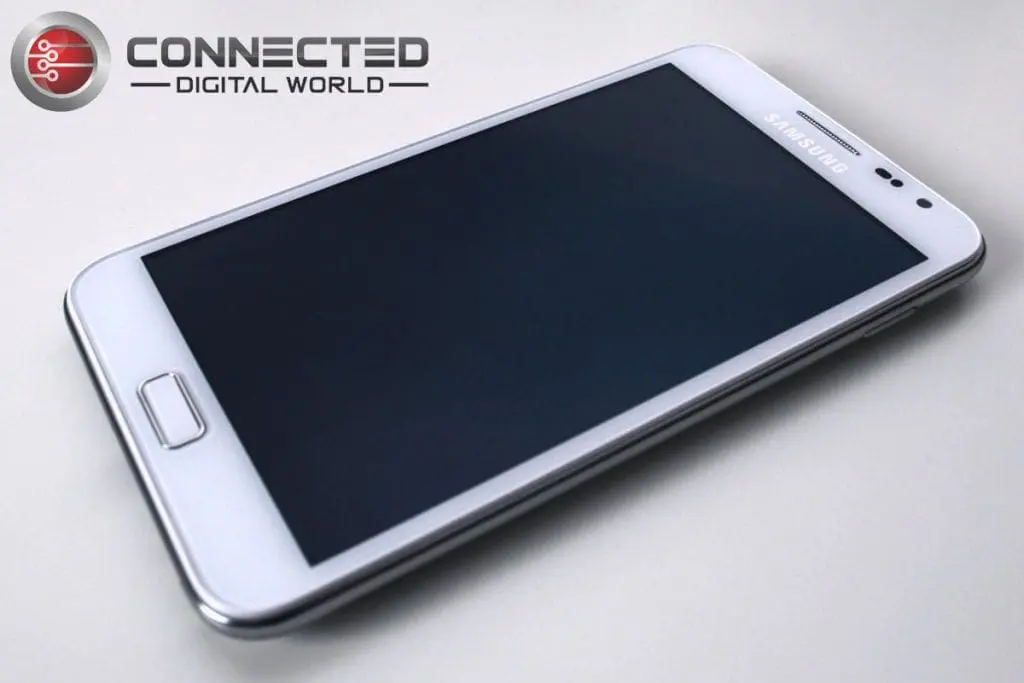
I’ve had my Samsung Galaxy Note for a little over a week now so I thought I’d give you my impressions. I was going to write about its pros and cons, but I can honestly only think of one negative aspect of this phone. No, it’s not the price, or the size – it’s the fact you can either have a silent mode OR a vibrate mode, but not both without having to go into the sound settings. My old Samsung Galaxy Apollo allowed you to turn the volume down until it went into vibrate mode, and then once more for total silence. Not so with the Note, but I suspect that may be to do with the version of Android, rather than the phone itself. That’s it, that’s my only niggle with this phone, which I absolutely love.
Size
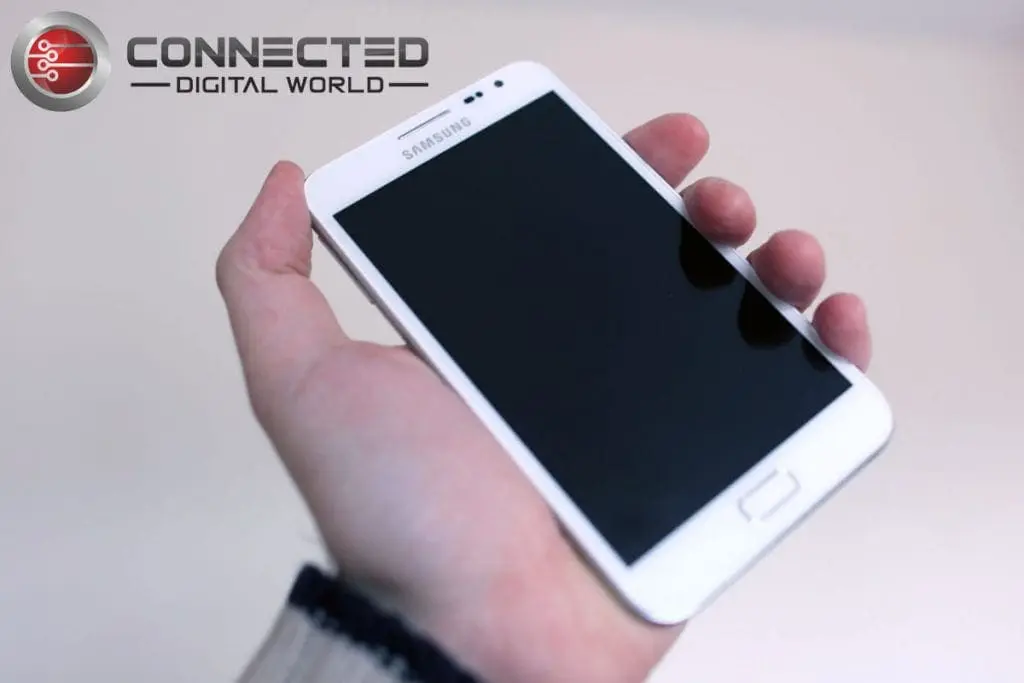
The first thing people always talk about with the Note is its formidable dimensions. As you can see from the pictures of me holding mine, and the one of a business card on the screen for scale, it’s quite large. If you want to feel what it’s like to hold a phone that size, get a piece of cardboard and cut it into a rectangle 8.4cm by 14.7cm; imagine it’s approximately 1cm thick, and you can judge the size for yourself. There are three down-sides to this in my opinion. First, if you wear skinny jeans, it won’t fit in your pocket. However, I wear bog-standard jeans, and it fits in the front pockets more comfortably than any other phone I’ve ever had because it’s so thin. Secondly, you look like Dom Joly (Non-Brits might have to look that up on YouTube) when you make phone calls in public. However, I rarely make phone calls in public, and I bought this phone for web, email and SMS. It’s nowhere near as big as an iPad though, so you’re not going to look like a complete idiot. Thirdly, with great power comes great responsibility (in the form of battery drain) – it’s a big screen, so if you’re on it all day at maximum brightness, you might want to carry your charger with you. Fortunately, many of the desktop docks on the market have spare battery slots so you can charge your phone and the spare at the same time. The cover is a little hard to take off, though, so you might be better off with one of those external portable chargers (solar / AAA battery). You can also buy aftermarket non-Samsung higher-capacity batteries that come with a replacement back cover (makes the phone thicker, but you have double the juice).
Galaxy Note with business card for scale
Depending on how you’re planning on using it, the size could be a negative. If you think it might be, get a Galaxy S II or III for a very similar phone. For the kind of uses I’m interested in, the big screen is nothing but joyfully welcome. The Super Amoled HD display is pin sharp, and easily visible in bright sunshine, and offers a resolution of 800×1280 (a slightly more square aspect ratio than most smart phones). When it’s dark, the screen can dim down automatically so you’re not blinded. Having owned an iPhone a while back, and used a 4S from time to time, I have to say that the browsing experience on this phone is so much nicer than a iPhone-sized screen. You can simply see more at once, so there’s less panning around to do. Android doesn’t have quite the same slick double-tap-to-zoom-to-an-element as Apple’s phones, but the Note’s screen size makes up for it.
Stylus
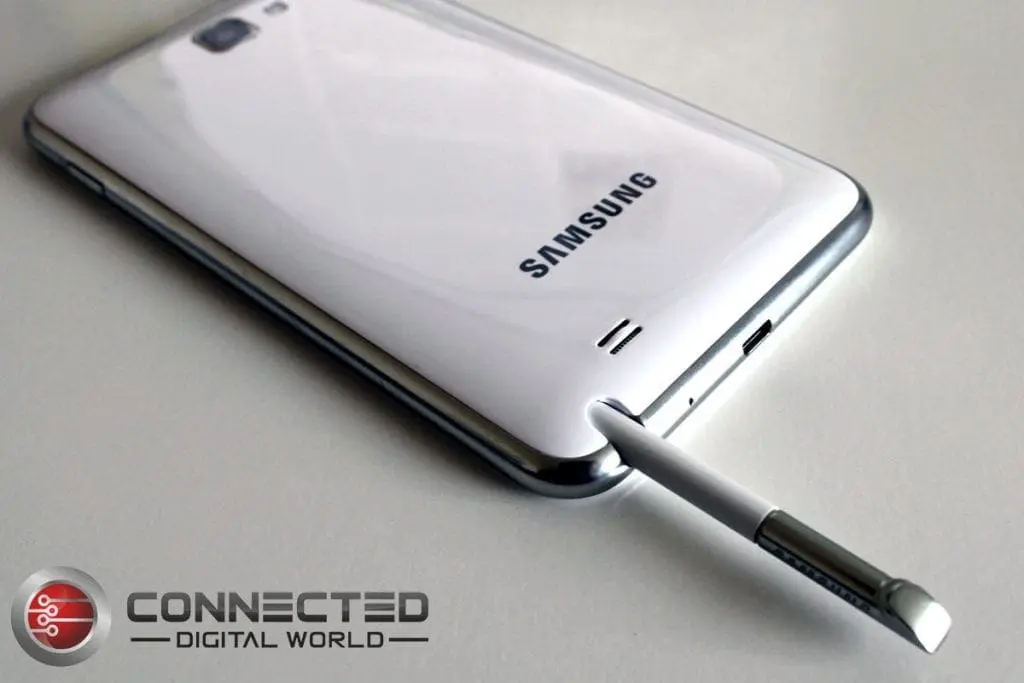
The other unusual feature of the Note is the fact that it comes with a stylus. I’ve used the stylus quite a lot, but mainly I think because it’s there and I thought I should try it out. An interesting question is whether I would miss it if it weren’t there. The key thing Samsung were trying for with the Note was the ability to annotate pictures and notes by hand, and if that’s something you wanted to do, the Note is very good at it. Watch some of the promo videos to see what kind of things are possible. It comes with S Note, which is a bit like a mobile version of Microsoft’s OneNote – you can make hand-drawn notes, including handwriting, hand-drawn pictures, as well as some pre-installed clipart and you can also paste images in from the gallery. You can use the stylus just like you finger, and you can also use it with its in-built button to control some of the menu functions via swiping motions. The phone comes with a nice set of tutorial videos on board for all its features. So, the stylus is very capable, but I’m honestly not sure how much I’ll use it once the novelty has worn off. No matter though, because it sits in it’s own little missile silo-like slot and you can just ignore that it’s there. If you’re addicted to Draw Something, the Note plus stylus will have you wowing people in no time – you just can’t draw with your finger like you can with a pen tip.
Camera
Image taken using Galaxy Note's main cameraImage taken using Galaxy Note's Secondary camera
Much like a lot of high-end smart phones, the Note has both front and back cameras. The main camera is 8MP with a very powerful flash, recording 3264×2448 pixels. It has various focusing features, as well as smile detection, geotagging and image stabilisation. The flash can also be used as a torch (flashlight) with a built-in widget which offers three brightness levels (Dim, Strong, and Police Searchlight) – a very handy feature which I’ve used several times already. The front camera has lower-res 2MP sensor to support video calls. The main camera is very good quality and has auto-focus. This means it takes a second to take a picture while it focuses on the subject, but the result you get it far superior to most phone cameras. You can also choose the focal point by touching the subject on the screen, like a lot of modern compact cameras. Once you’ve done that, it will take the image immediately when you press the shutter button (also on-screen). Here are a couple of pictures I’ve taken with the main camera and secondary camera for comparison (click to see full image).
The Note can also record full 1080p HD video at 24-30fps. Here’s a very quick video of samples I’ve recorded at 720p and 1080p. It’s re-encoded, but you can see the difference in quality when you watch it at 1080p.
Processing Power
It’s powerful. The Note next to me on my desk has the same processing power as my cheap eMachines laptop. With a dual-core 1.4GHz processor, and also a supporting GPU, the Note is exceptionally fast. There is no lag, no delay, and apps install incredibly quickly. Don’t forget with the new Google Play service (replacing the Android Market) you can install apps to your Android devices from your desktop/laptop browser without touching your Android. Click, click, and the app is there waiting for you when you pick the phone up. That’s the power of Android and Google, of course – it’s seamless in a way that no other mobile platform has yet achieved. When I picked the phone up, all I had to do was enter my google account name and password, and I had all my email, contacts, calendar entries and apps (available to download when I was ready) without having to connect to my computer at all. Add a service like Dropbox, Google Drive or SkyDrive to that, and you can sync all your files too.
Storage
The Note comes with 2GB of on-board storage, with an additional microSD slot for up to 32GB more. While I think of it, it takes a normal SIM, not a micro SIM.
Operating System
One slight issue is Samsung’s lackadaisical attitude to OS updates. They are notorious for taking a long time to release Android updates for their devices, if they release any at all. The Note in Europe comes with Gingerbread v2.3.5. There is talk on the ‘net of Samsung releasing an update to Ice Cream Sandwich (Android v4) in “the first quarter of 2012”, but they seem to be running a bit late with that. The phone does offer push notification of Samsung updates, though, so when it is released, you’ll know. One way around this would be to take a brave pill and ‘root’ your phone with a generic ICS image, however make sure you read around a lot before doing it – just like IOS and jailbreaking, it’s riddled with danger. You have been warned. Gingerbread is fine, though – especially if you’ve not used Android before, you’ll love it.
Rating
Without question, for me at least, this gets a whacking 5/5 for being easily the best phone I’ve ever used.
The HBO GO app for Android has just been updated to version 1.4.
Introducing HBO GO. The new streaming service from HBO.
Watch over 1,400 of your favorite HBO shows, including HBO original programming, hit movies, sports, comedy and much more—now available on Android smartphones!
It’s HBO. Anywhere.
Free with your HBO subscription through participating television providers.
With the New HBO GO App You Can:
• Keep up with your favorites. Watch everything you love about HBO, including HBO original programming, hit movies, sports, comedy and every episode of the best HBO shows, including True Blood®, Game of Thrones, Boardwalk Empire®, Entourage®, The Sopranos®, Curb Your Enthusiasm®, Sex and the City®, The Wire® and more. Plus, get bonus features and special behind-the-scenes extras!
• Take it with you. Get instant access to HBO GO whenever you want, wherever you are—and never miss a moment of your favorite HBO shows.
• Make it your own. Create a customized Watchlist to catch up on all your favorite HBO shows and hit movies at your convenience. Plus, set a Series Pass® to automatically load your list with all the HBO Original Series you love.
• Enjoy more HBO. Get even more of your favorite HBO programming with HBO GO—FREE with your HBO subscription through participating television providers.
Dojo North Software have announced that their Home Server SMART 2012 and WindowSMART 2012 add-ins are now at Release Candidate stage.
Home Server SMART 2012 is the second-generation add-in for SMART disk monitoring for Windows Home Server. The first generation product, Home Server SMART, is designed to be used on Windows Home Server, which is colloquially known as Windows Home Server “v1.” Home Server SMART 2012, formerly known as Home Server SMART 2011, is designed to run on Microsoft’s Windows Server Solutions family of products, which consists of Windows Home Server 2011, Windows Small Business Server 2011 Essentials and Windows Storage Server 2008 R2 Essentials.
Home Server SMART 2012, or HSS, is installed into WHS 2011 (I’ll use WHS or WHS 2011 to collectively refer to all Windows Server Solutions products) through the use of a WSSX installer file. The WSSX file can be run on the server itself, or from a client connected to that server via the Launchpad. HSS consists of two main components, a user interface and a service. The user interface is where you can see the health of your disks, view detailed analysis and configure settings. The service, on the other hand, runs continuously, monitoring your disks at pre-determined intervals (default 10 minutes; you can change this). The service can raise WHS alerts and send email notifications when problems are detected. You do no need to be logged into the server for the service to run.
Home Server SMART 2012 has all the features you knew and loved from Home Server SMART for WHS v1, plus a bunch of new features.
This is what was posted in the Home Server Show forums:
I’ve posted the final beta – the bridge between beta and Release Candidate, of both WindowSMART 2012 and Home Server SMART 2012! In addition, my website has undergone a major overhaul.
I’ve gotten the last few SSDs coded in and everything seems to look good so please go and check them out! Go to http://www.dojonorthsoftware.net and you’ll be able to quickly find your way to Home Server SMART for WHSv1 as well as HSS 2012 and WindowSMART 2012.
If you’re looking to purchase a license(s) for WindowSMART 2012, I’ve still got the Early Bird pricing going on–it’s reflected right on the site.
Even better — I’ve got the automated licensing system completed. No more needing to ask me for an invoice (unless you’re requesting the US Military Discount, which requires you to provide proof of service), and when you pay your license keys are generated automatically and instantly. No more waiting!
What are the codecs needed to play DVD?
A codec is software that is used to compress or decompress a digital media file, such as a song or video. MPEG-2 is widely used as the format of digital television signals that are broadcast by terrestrial (over-the-air), cable, and direct broadcast satellite TV systems, and DVD Video. Dolby Digital is the widely used audio standard for terrestrial (ATSC, over-the-air), cable, direct broadcast satellite TV systems, and DVD Video. Dolby audio is also a mandatory format in Blu-ray.
How has Windows handled DVD related decoder licensing prior to Windows 8?
The issue surrounding the incremental costs of codecs to play DVDs isn’t new to Windows. In Windows XP and Windows Vista we addressed it by offering specialized editions, such as Windows Media Center Edition, or codec add-ons to Windows Media Player. DVD playback was not included in Windows Vista Starter, Home Basic, Business, and Windows Vista Enterprise editions. OEMs (PC manufacturers) had the option to license Windows Vista Starter, Home Basic, and Business “with DVD” where we offered a version that includes the Dolby Digital codec to enable the OS to support DVD playback for a nominal price increase. In Windows 7, we decided to make these codecs available broadly in most editions, except Windows 7 Home Basic (available in some emerging markets) and Windows 7 Starter editions (available for netbooks and some emerging markets). That means royalties related to DVD playback in Windows 7 have been paid broadly, regardless of whether or not the PC has an optical drive. Based on sales and usage, we supplied codecs to a very large number of PCs that were not capable of playing DVDs or simply did not ever play DVDs.
Who pays decoder royalties associated with DVD playback on PCs?
Typically, media codecs are based on intellectual property (IP), often patents, held by consumer electronics consortiums or companies. The result is that entities who wish to sell products that include these codecs must pay royalties to the IP owners; sometimes to a single entity (e.g. Dolby Laboratories), and often through a license agency (e.g. MPEG-LA) who administers licensing for a number of IP holders under specific terms. The rules surrounding who pays these royalties vary by licensing program. According to the MPEG-LA program, the company that ships the end product is responsible for paying. In the case of new PCs with Windows pre-installed, that would be the PC OEMs. The Dolby program for Windows 7 was defined based on an agreement between Dolby and Microsoft where Microsoft has paid Dolby directly for the rights to Dolby Technologies built in Windows 7. Royalties are also paid by ISVs that include those technologies in their applications, even if those applications are bundled on new systems. This means that in many cases the same royalties can be paid multiple times over for a single PC (Microsoft pays some, OEM pays some, ISV pays some). In Windows 8, we will continue to include some technologies licensed by MPEG-LA and Dolby that will be paid by OEMs, but only those that relate to online media consumption (e.g. MPEG-2 container for H.264, Dolby Digital Plus audio) and not those related optical media. The costs associated with those codecs are lower, but significant, compared to optical media playback. Also, Windows 8 apps will be able to use these technologies as part of the Windows 8 Media Foundation APIs at no additional cost, as long as they are not providing optical media and broadcast related functionality.
How much does it cost the PC ecosystem to play DVDs?
Playing DVDs generally require MPEG-2 video compression and Dolby Digital (AC-3) audio. Even though it is possible to use other formats, the majority of commercial DVDs are encoded using these formats. In order to decode these formats, the playback device needs to be licensed to use these decoders. MPEG-2 decoder costs $2.00 per unit under current MPEG-LA terms. Dolby license is an additional cost that varies by the technology licensed, the type of device, and unit volume. While not related to Windows, Blu Ray would be an additional cost on top of these. So when you add all this up and apply to all Windows PCs, it is an ongoing cost of hundreds of millions of dollars per year to the PC ecosystem, well over a billion dollars over the lifecycle of the operating system and yet by most predictions the majority of PCs will not even be capable of playing DVDs.
Why can’t I just pay for DVD when I need it?
When we have DVD playback capabilities in software broadly like in Windows 7, there is no way to distinguish whether the PC will ever play a DVD disc but still this cost is carried on every PC. While we might think that the best solution is some sort of “just in time” charge back to Microsoft based on telemetry or an “anytime upgrade” this is not how the third-party licensing programs work as described above. So there isn’t an approach where you buy Windows or a PC and only “pay as you go” if DVD playback is provided “in the box”. Once it is distributed as a player, a license is required.
Will devices with Windows 8 pre-installed be able to play DVDs out of the box?
This is ultimately an OEM choice for what peripherals and software to include in a given system. If a new device has an optical drive, it will most likely include necessary software and licenses making it a seamless experience to the vast majority of customers. Similarly, an add-on optical drive (internal or external) will almost certainly come with DVD playback software unless you intentionally purchase a white label drive (which might be a perfectly reasonable choice if the drive is simply for loading software). In all cases, there are numerous complete third-party applications that provide a broad range of support that is properly licensed. On the other hand, the ecosystem won’t have to pay for that software and related royalties on devices such as tablets, small form factor desktops, and laptops that are sold without optical drives.
What if I upgrade to Windows 8 on my current Windows 7 PC with a DVD drive?
If there is existing third-party playback software the Windows Upgrade Assistant will help determine if this software is compatible with Windows 8 and you will have the option to keep it during the upgrade to Windows 8. Otherwise, you will need to acquire third-party playback software after the upgrade to play DVDs. Alternatively, you can acquire the Windows 8 Media Center Pack or the Windows 8 Pro Pack post upgrade. Both Packs include Windows Media Center, including the ability to play DVDs.
Why can’t I buy a Windows 8 device that includes Windows Media Center pre-installed?
With the evolution of device form factors (tablets, thin and light, etc., none of which have optical drives) and change in media consumption patterns from optical disks and broadcast TV to online (Netflix, Youtube, Hulu, etc.), we concluded that we would no longer make DVD and broadcast TV capabilities available in all Windows editions, simply because the feature applies to a decreasing number of PCs sold. Instead, those capabilities will be available only to customers that want it via Add Windows Feature (aka Windows Anytime Upgrade). This ensures that the costs associated with playing DVDs and watching broadcast TV on PCs only apply to devices that have those capabilities and customers that want it.
Are you adding another Windows 8 edition called “Windows 8 Pro with Media Center”?
The Windows 8 Pro edition that includes Media Center will be named and branded Windows 8 Pro. The only difference is that it will include Media Center and you will also find a different string in the system properties where it will say “Windows 8 Pro with Media Center”. This is not a new edition of Windows 8.
Why do I have to upgrade to Windows 8 Pro to get Media Center?
Trends in Media Center usage show a decline in the number of customers that use it on a regular basis, starting from a relatively small base as we previously blogged about. When we look at actual usage, most customers using Media Center and playing DVDs used Windows Ultimate and XP Pro/Media Center. We believe those customers will also be interested in the additional features provided in the Windows 8 Pro edition, such as Boot from VHD, Client Hyper-V, etc., especially if they are using Media Center on a PC used for general tasks. Considering the audience and current usage, we conclude the vast majority of Media Center customers upgrading to Windows 8 will be to the Windows 8 Pro edition. In our efforts to keep the Windows 8 editions plan as simple as possible, Windows Media Center is only available on Windows 8 Pro. If you already have Windows 8 Pro and want to add Media Center, you just need to acquire the additional Media Center Pack as an in-place upgrade available via Add Windows Features (formerly Windows Anytime Upgrade).
What is the Windows 8 Pro Pack and why does it include Media Center?
Windows 8 Pro Pack is an upgrade from Windows 8 to Windows 8 Pro. Like we described above, Media Center is only available on Windows 8 Pro. When you acquire the Pro Pack, we make it a single step that takes you to Windows 8 Pro with Media Center. The cost of the Media Center Pack is essentially built into Pro Pack. Again, this is an attempt to add simplicity to the process of acquiring Media Center.
What version of Windows Media Center will be included in Windows 8?
The version of Media Center included in Windows 8 is what we shipped in the Windows 8 Consumer Preview. It is much consistent with what shipped in Windows 7.
Will CableCard and other devices continue to work with Media Center in Windows 8?
Yes, there is no change in hardware supported between Windows 7 and Windows 8.
Why doesn’t Windows Media Player support DVD playback even after installing Media Center?
Based on the above discussion, it should be clear that we cannot enable DVD playback all the time in Windows Media Player. Given the ongoing feedback to avoid feature overlap and to avoid the complexity of behavior changing for a previously installed component, we only enable DVD playback in Media Center once it is installed.
So what do you think? Personally I don’t think I will be upgrading my Media Center from Windows 7!