
This is the fourth of five (?) articles about my Windows Media Center build in anticipation of the new Ceton CableCARD tuner release. Tonight I will be talking about the assembly and video card installation in the Alienware P2 Chassis.

Background
The plan is to have this system replace my Moxi Charter Cable DVR AND my WMC PC.
The three previous articles can be found at:
The Rig
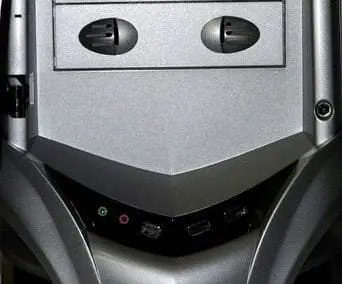
The chassis is a Alienware P2 case with light kit.

Timeframe
I get paid every two weeks and get a few items each paycheck. I should be done in January, well before the March Ceton release. This paycheck I bought the video cards.
Ceton Prime?
I am naming her Ceton Prime in honor of the Ceton Multi-Channel Cable TV Card scheduled for release on March 31, 2010.
http://www.cetoncorp.com/buy.php
This Paycheck – $260
$124.99 for the 9800 GTX from TigerDirect and $134.99 for the 9800 GTX + from Newegg for a total of $260.
The amount spent so far is $260+$434+$355+$225 for a subtotal of $1,274 (no tax). Not too bad.
CPU, Fan and Memory Installation
Motherboard, Media Drives and Hard Drive
Video Card Installation
Instructions and Podcast
What is next?
I am going to load the OS and get it running for the next article.
Tim

Hi,
$124.99 for the 9800 GTX from TigerDirect and $134.99 for the 9800 GTX + from Newegg for a total of $260
I believe there's a typo. 1 card should be GT
What a beast, thanks for sharing.
The 9800 GTX+ from Newegg
http://www.newegg.com/Product/Product.aspx?Item=N…
The 9800 GTX from TigerDirect
http://www.tigerdirect.com/applications/searchtoo…
Tim – Are you planning on using an internal Ceton card in that beast? It looks pretty crowded already with the 2 video cards. Maybe once you see how everything is working you can rearrange cables and tie them back (or maybe get an extension cable for your sound wiring).
Nice videos. I enjoy watching them.
It is hard to see in the video but there a 1X slot above the first video card. The current design of the Ceton Tuner shows it with a 1X dummy mount and a fan at the back making it long.
I bought this specific board EVGA board and the EATX case for that reason.
Lets hope they do not change the design too much on the final release.
Timothy for sure hook up all of the PCIe power connectors to the video cards. If the card has two power connectors they both need to be connected.
I'll have to take some videos of my PC and send it to you. Spend some time and try to clean up the wiring. This will aid in air flow through the case which of course aids in cooling.
Kind of fun watching someone assemble their first PC. I've done it so many times that it is old hat now so it's neat to see someone ask all these "how do I" question.
Little tip. Your ground strap isn't really needed. If you plug in the power cable to the power supply and power outlet but keep the switch off you will be grounded that way.
fsthair
I actually did add the second cable after the video was over. The first picture (up top) of the article shows both connected. I also stopped with the strap after she was plugged in.
Almost all of the wiring ended up being used so it is mostly out of the way now.
I am just about to start a second build. Just got the Red Asus Vento case! Turning it into a 56' Bel Air case for my Dad for Father's Day.
Mr Deleo,
What was the ideology behind a dual graphics card system (I did not see where you talked about it in any of the articles). Are you going to be running them in SLI/Crossfire?
Thanks
Dallas Knox
The dual cards will drive the four monitors I have for my main current system.
The reason this system is so robust is that I will use it for my desktop AND for the recording of video to WHS and distribution to extenders.
I do not game but I also wanted to design a system that could eventually be used for that purpose if that changes. I hear 2010 is the year of the game!
Is that a HP thin client sitting next to the computer in the last video? Looks like a t5730. Just curious what you use it for? I have several (t5720's) that I use to drive some touch screens for my home automation system.
Bad resolution. It is a HP 400VA PS.
I guess I need to upgrade to a 720p camera now!
sic0048
please elaberate i have a 17 elo touch screen i would love to use for automation/win7 mediacenter
Tim, the corsair 750 is the best single rail psu, very little droop under full load will proform beyound expectations