Google Chrome for Android finally out of beta

Along with all the various announcements from Google this week, they also announced that Google Chrome for Android was finally out of beta!

Google Chrome for Android

The speed and simplicity of Chrome, now on your Android phone and tablet.

Search and browse fast with Chrome on your Android phone and tablet. Sign in to sync your personalized Chrome experience from your computer to bring it with you anywhere you go.

The current version is 18.0.1025123, and is the first stable release out of beta.

Button Button

Have you tried it? Let us know what you think of it.

QNAP Expands TurboNAS Peripherals Compatibility List

QNAP has updated its TurboNAS peripherals compatibility list again, adding support for some hard drives and other devices.  Read on for details.

qnaplogo

QNAP announced more new peripherals for its TurboNAS line of NAS units.  Here is what they announced:

Taipei, Taiwan, June 28, 2012 – QNAP® Systems, Inc. is extending the number of compatible peripherals for its Turbo NAS products. The additions, including five 500GB to 1TB 2.5-inch internal SATA hard drives, ten 2.5-inch 60GB to 480GB internal Solid State Drives, two USB Wi-Fi adapters, and one USB camera are now fully compatible. The expanded peripherals are expected to give users greater convenience and deployment flexibility.

The compatible 2.5″ internal SATA Hard Drives are listed below:

  • SAMSUNG® – HN-M101MBB (1TB), HN-M500MBB (500GB)
  • Toshiba® – MQ01ABD100 (1TB), MQ01ABD050 (500GB), MK5059GSXP (500GB)

The compatible 2.5″ internal Solid State Drives (SSD) are listed below:

  • OCZ® – D2CSTK251M11-0060 (60GB), D2CSTK251M11-0120 (120GB), D2CSTK251M11-0240 (240GB), D2CSTK251M11-0480 (480GB), D2CSTK251M11-0120.7 (120GB), D2CSTK251M11-0240.7 (240GB), D2CSTK251M11-0480.7 (480GB), D2CSTK251A10-0120.7 (120GB), D2CSTK251A10-0240.7 (240GB), D2CSTK251A10-0480.7 (480GB)

The compatible USB Wi-Fi adapters are listed below:

  • Zyxel – NWD2105
  • D-link® – DWA-125 (H/W v.A3, F/W v1.50)

The compatible USB camera is listed below:

  • Creative® – Live! Cam Optia AF (VF0280)

Visit www.qnap.com for more information.

Google Maps app for Android updated to version 6.9, brings offline map saving feature

The Google Maps app for Android has been updated again, this time to version 6.9.

googlemaps_thumb3_thumb

Download the latest release of Google Maps, and never carry a paper map again. Google Maps for Android with Navigation (Beta) has:

* Detailed maps with 3D buildings
* Voice guided turn-by-turn GPS navigation
* Driving, public transit, biking, and walking directions
* Live traffic information to avoid congestion
* Local search and business reviews
* Google Maps Street View
* Indoor maps for select airports, hotels, retail stores, and more

Whether you need directions to your destination, the closest good place for a bite to eat, or just a sense of where you are, Google Maps for Android can help.

What’s in this version:

  • Save maps for use offline
Download now from Google Play

Plextor announces the new M5D Solid State Drive

Plextor will be expanding its portfolio of Solid State Drives (SSD) to encompass a new model, the M5S, which will be launching later this year.

M5S_Front_HR
The M5S drive, showcased at Computex earlier this month, will complement the existing M3 and M3 Pro drives with a simple yet high quality format, and won’t feature as many advanced utilities or accessories. Instead, the M5S has been designed specifically to provide an easy, effortless solution for users looking to make their first switch from HDD to SDD.

Continuing the trend from previous models, the M5S SSD maintains exceptionally high quality and performance, utilising the proven server-grade Marvell 88SS9174 controller paired with 25nm NAND flash.  It is likely to feature sustained random read/write speeds of up to 73,000/70,000 IOPS as well as continuous read/write speeds of up to 520/390 MB/s.

Users will also be able to download PlexTools, which offers a range of services including monitoring drive status and upgrading firmware.

Expected to be available in 64GB, 128GB and 256GB capacities, the M5S will offer plenty of robust storage space for important files and media. With True Speed technology, users can rest assured that the drive will maintain the same, consistent high performance and speed -even after years of usage.

Details on pricing, availability and warranty will be made available nearer the launch date (expected end of Q3).

In the meantime, why not check out our review of the Plextor M3 Pro SSD.

Happy 40th Birthday to Atari

This week marks Atari’s 40th anniversary, so lets all wish them a very happy 40th!

atari

The Atari 2600 video games system (shown above) was the very first gaming machine we had in our household when I was a kid.

Many, many, many (you get that it was a lot) hours were spent in front of the TV (when I could convince my parents to let us use the TV) playing all sorts of games like Breakout, Yars Revenge, Pitfall, and my all time favourite game Adventure.

If you want to relive some of those games you can buy them for your mobile device and today only Atari are offering all the games for free!

Screen Shot 2012-06-28 at 20.08.26

So don’t wait around, go get them now!

And again, happy birthday Atari!

Google introduces Android 4.1 codename Jelly Bean

At yesterday’s I/O conference, Google formally introduced the next iteration of it’s operating system. It is version 4.1 and its codenamed Jelly Bean.

jb-android-4.1

This is how Google describes Jelly Bean:

Android 4.1 is the fastest and smoothest version of Android yet. We’ve made improvements throughout the platform and added great new features for users and developers.

Android 4.1 is optimized to deliver Android’s best performance and lowest touch latency, in an effortless, intuitive UI.

To ensure a consistent framerate, Android 4.1 extends vsync timing across all drawing and animation done by the Android framework. Everything runs in lockstep against a 16 millisecond vsync heartbeat — application rendering, touch events, screen composition, and display refresh — so frames don’t get ahead or behind.

Android 4.1 also adds triple buffering in the graphics pipeline, for more consistent rendering that makes everything feel smoother, from scrolling to paging and animations.

Android 4.1 reduces touch latency not only by synchronizing touch to vsync timing, but also by actually anticipating where your finger will be at the time of the screen refresh. This results in a more reactive and uniform touch response. In addition, after periods of inactivity, Android applies a CPU input boost at the next touch event, to make sure there’s no latency.

There are lots of other enhancements which you can read about from here.

I wonder how long it will take to roll out 4.1 considering there are still a lot of devices out there that still don’t have 4.0!

Cisco announces Linksys Smart Wi-Fi Router and Universal Media Connector with 802.11ac

0

Cisco yesterday announced its first Linksys Smart Wi-Fi Router and Universal Media Connector both powered by the industry’s next-generation wireless technology, 802.11ac.

Linksys-Smart-Wi-Fi-Routers

The new technology is designed to deliver wireless speeds approximately three times faster than the current wireless 802.11n standard. The new Linksys Smart Wi-Fi Router EA6500 uniquely blends the highest performance 802.11ac technology with Cisco’s intelligent Cisco Connect Cloud software platform for an experience that is both powerful and intuitive, simplifying how consumers connect, control and interact with their home devices and appliances.

Timing of this announcement comes as laptop and smart phone manufacturers are expected to start introducing 802.11ac products towards the end of 2012. Consumers can also take advantage of the new technology by connecting their smart TVs, game consoles and other devices to the new Linksys Smart Wi-Fi Router via the new Linksys Universal Media Connector.

“The power of 802.11ac technology coupled with Linksys Smart Wi-Fi Routers, our game-changing new software platform and mobile capabilities enables all new experiences in and out of the home that consumers can’t get with any other solution,” said Brett Wingo, vice president and general manager, Cisco Home Networking. “As consumers begin the transition to the new Wi-Fi technology, Linksys is introducing a solution that not only includes a powerful product, but has new innovation that enables them to stay connected to their devices and home wireless networks from anywhere, anytime. We deliver the most complete solution, from performance to usability to customer satisfaction.”

Next Generation Wireless Performance

The new Linksys Smart Wi-Fi Router with AC technology is backwards compatible with prior wireless networks and devices using 802.11a/b/g/n. This assures consumers can upgrade to the new Linksys 802.11ac products and still have full interoperability with legacy Wi-Fi devices. As new 802.11ac devices such as smartphones and tablets enter the market, consumers will be able to take full advantage of the new capabilities and power with their Linksys Smart Wi-Fi Router that offers 802.11ac performance.

The Linksys Smart Wi-Fi Router EA6500 contains six internal 3D antennae that are designed to insure the same performance whether placed on a desktop or mounted against the wall. Additionally, it features an elegant new design that was inspired by the award-winning Linksys E4200 model to complement any home decor.

Ideal for video and mobile devices

The new 802.11ac technology is optimised to meet the explosive increase in video consumption and the proliferation of wireless devices in the home. Cisco expects that in 2016 there will be 19 billion connected devices globally and that 1.2 million minutes of video will be viewed online every second. The new wireless technology has been designed to improve speed, range and reliability and also helps to improve power consumption for mobile devices. This is becoming increasingly important to provide good connectivity for the growing amount of mobile devices that enter the home and will also help provide the type of quality connectivity required for a range of activities including watching live TV or on demand video in the living room, study or bedroom.

Universal Media Connector

The new Linksys Universal Media Connector enables consumers to connect wired devices such as Smart TVs and game consoles to their Wi-Fi network and stream HD or even 3D HD video content wirelessly –and has been optimised to work with the Linksys Smart Wi-FI Router EA6500. The connector operates in the 5Ghz band that offers less interference for a clearer signal. Additionally, with four gigabit ports users can connect a variety of entertainment devices in the living room to the Internet at incredibly fast speeds.

Smart Wi-Fi: Fast, Easy and Flexible – Anywhere

As with all Linksys Smart Wi-Fi Routers, the EA6500 comes with Cisco Connect Cloud, the cloud platform that has been designed to provide convenient anytime, anywhere access to the home network and its connected devices – from a web browser or mobile device. Consumers can now enjoy new mobile apps and experiences, on their Android and iOS mobile devices, from Cisco and third party developers that are part of the Linksys Developer Community. To help simplify connectivity further, Cisco has integrated SimpleTapä into the new Cisco Connect Cloud mobile app. With SimpleTapä, consumers can connect devices with as little as one tap of a button and in the future even by swiping their NFC-enabled smart phone over an NFC tag to connect to the network powered by a Linksys Smart Wi-Fi Router EA6500. Cisco is currently working with consumer electronics (CE) and home appliance brands to include SimpleTap technology into a variety of products.

The Linksys Smart Wi-Fi Router EA6500 is targeted for availability in September at major retailers, as well as the Linksys online store. The Linksys Universal Media Connector is expected in October at the same outlets.

Look out for our review later this year. Having seen a demo of the speeds that can be achieved with 802.11ac back at CES in January I am really looking forward to seeing what this router can do.

Screen Shot 2012-06-28 at 11.08.11Screen Shot 2012-06-28 at 11.08.19

Google Demos Project Glass With Skydivers!

0

Google demoed their Project Glass augmented reality project today, using skydivers and motorcycle riders, and live blogging the action with a Google+ hangout.  We bring you the skydiving video!

glass_photos4

Back in April, Andrew told us about Google’s Project Glass, Google’s augemented reality project.  Today at IO2012, Google demoed the technology.  Here is a video that was streamed live using a Google+ Hangout, cell phone mobile hotspots and the Project Glass demonstration product:

Very cool!  Apparently, attendees to IO were able to preorder developer versions of these glasses for $1,500.  A bit pricey to be sure, but this is a very interesting technology. We’ll keep an eye on it for you!

Vizio Announces Co-Star Google TV Device

0

Irvine, California-based Vizio recently announced a new Google TV-based device called the Co-Star.  Read on for details!

vizio-costar-combo-view

Vizio announced a new Google TV device called the Co-Star.  With robust DLNA support, Chrome browser support (including Flash), and the ability to control set top boxes, Vizio has introduced an interesting product with potentially more capability than competing devices such as the Apple TV or Roku streaming players.  Here is part of Vizio’s press release:

VIZIO LAUNCHES THE VIZIO CO-STAR™ WITH GOOGLE TV GIVING USERS THE POWER TO TURN ANY HDTV INTO THE ULTIMATE SMART TV

Tuesday, June 26, 2012 9:03:12 AM America/Los_Angeles

Irvine, CA — June 26, 2012 — VIZIO, America’s #1 LCD HDTV Company*, announced today the launch of the highly anticipated VIZIO Co-Star™ Stream Player. Using the latest version of Google TV™, the VIZIO Co-Star makes it easy to transform any HDTV into the ultimate smart TV, merging live and streaming entertainment into one intuitive and easy experience. With VIZIO’s new stream player, users get instant access to thousands of apps, full-screen web browsing capabilities—via Google Chrome™ with Adobe® Flash® Player and HTML 5 support—and the best in streaming entertainment.

Unique to the stream player market, the VIZIO Co-Star offers the distinct advantage of connecting to a cable or satellite box. This allows viewers to enjoy live TV along with the web, apps, OnLive cloud gaming, and other streaming entertainment without interrupting what they’re already watching. This integrated experience along with the universal touchpad remote with keyboard eliminates the need to switch TV inputs or remotes to access alternative content and provides viewers with a truly smart TV experience.

“Our focus to deliver the best consumer experience continues with today’s announcement of the Co-Star, which delivers a superior smart TV interface that anyone can add to their existing HDTV,” said Matt McRae, VIZIO’s Chief Technology Officer. “We combined the powerful features of Google TV™ with an intuitive and easy to use interface, giving users the power to enjoy an entire world of entertainment.”

The added benefit of Google TV’s powerful search feature lets viewers easily browse websites, hunt for streaming movies or locate their favorite TV shows; and with picture-in-picture technology, it can all be done while simultaneously watching live TV action.

In addition to favorite apps such as Netflix®, Amazon Instant Video, M-GO, YouTube® and iHeartRadio, the VIZIO Co-Star is the first stream player to offer video games on demand through the OnLive® Game Service. OnLive allows users to demo, watch and play hundreds of top-tier video games directly from ‘the cloud’ via their VIZIO Co-Star, eliminating the need for users to own an independent game console. With easy access to thousands of apps through Google Play, Co-Star offers the most comprehensive stream player available today.

Complementing the overall experience, the VIZIO Co-Star includes a universal Bluetooth® remote with an innovative touchpad that lets you touch, tap, scroll and drag. A full QWERTY keyboard helps users search for their favorite entertainment. Plus, its universal feature makes it easy to control home entertainment devices with one remote.

The VIZIO Co-Star incorporates a number of power user features intended to satisfy the variety of user demands, starting with support for 1080p Full HD and 3D entertainment. Built-in 802.11n Wi-Fi provides easy wireless Internet access without unsightly wires. Integrated USB port connects to hard drives, keyboards and other peripherals. The VIZIO Co-Star even enables viewers to enjoy photos, music, and movies from any DLNA-enabled phone, tablet, or computer on the TV screen.
The VIZIO Co-Star exceeds expectations by combining a definitive user experience with a powerful smart TV platform, resulting in an all-in-one solution that brings the ultimate smart TV experience to any HDTV.

The VIZIO CO-Star will be available for pre-orders in July 2012 only on VIZIO.com for $99.99, with an introductory free shipping offer, while supplies last

.
*IHS iSuppli Corporation Research Q2 2012 Market Tracker Report of Q1 2012.

**High-speed/broadband Internet service and access equipment are required and not provided by VIZIO. Additional fees and/or subscriptions may be required for certain content and services. VIZIO makes no warranties, representations, or assurances of any kind as to the content, availability, or functionality of third party content or services.

The $99 price point is very interesting, and the capability to plug into and control your set top box holds out the promise of an easier integration of Google TV’s capabilities than some other devices.  The Co-Star will be available for pre-order in July 2012.

Vizio Press Release Co-Star Features Page

Google Announces Nexus Q Cloud Media Streamer

0

Google announced a new cloud content streaming device today, designed to work with Android phones and tablets.  Read on for details!

nexus_q_banner_003

Google announced their take on streaming devices today, called the Nexus Q.  The Q is a device that streams content from YouTube and Google Play into your home.  It can power a set of speakers with its built-in amplifier or you can pump the audio and video signal into your home theater setup via HDMI.  Here is what Google is saying about the Nexus Q:

The world’s first social streaming media player

Built to Play

Nexus Q streams your favorite entertainment directly from the cloud to your living room. Just use the Google Play and YouTube apps on your Android phone or tablet to surf an ocean of music, TV, movies and videos, and Nexus Q will play it all on the biggest speakers and screen in the house. There are no downloads, no syncing, no running out of space. Just the stuff you love — at home and out loud.

Music

Choose a song from the Google Play Music app on your phone or tablet and play it instantly on Nexus Q. Discover millions of songs in the Google Play store, and upload up to 20,000 of your own for free. Music Manager uploads your iTunes or Windows Media Player library to Google Play so that your collection is available anywhere, anytime.  Learn more about music on Google Play.

Movies and TV

Thousands of movies and TV shows are instantly available from Google Play on your Nexus Q. Just browse or search on your phone or tablet and stream whatever you want to watch to your HDTV with Nexus Q.  Learn more about movies and TV shows on Google Play.

Google Announces Nexus 7 Tablet, Starting at $199

Google announced their reference Jelly Bean tablet today, starting at $199 for an 8GB version.  Read on for details!

nexus_7_banner_002

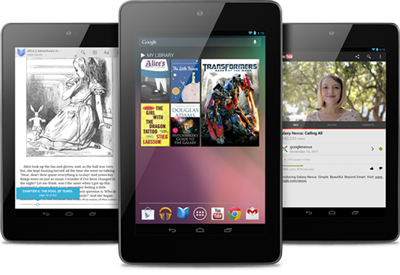
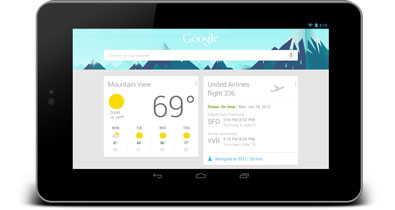
Google announced their new Jelly Bean (Android 4.1) equipped 7” tablet today.  Sporting a quad core Tegra 3 processor, a 1280×800 IPS display, a 1.2 megapixel front-facing camera and 8 or 16GB of storage, this is an interesting tablet.  Here is what Google is saying about their new tablet:

Thin, light and portable

Nexus 7 is a no compromise Android tablet that’s designed to go where you go. With a stunning 7” display, powerful quad-core processor and up to 8 hours of battery life during active use, Nexus 7 was built to bring you the best of Google in a slim, portable package that fits perfectly in your hand.

Made for Google Play

Nexus 7 was built for Google Play. With Google Play, all the entertainment you love is right in your hand: more than 600,000 apps and games, millions of eBooks and songs, thousands of movies, and a growing selection of TV shows and magazines. Sign in to your Google Play account and we’ll give you $25 of credit to spend in the Play store, as well as some great free content.

The best of Google

Nexus 7 comes with all your favorite Google Apps – like Gmail, Chrome, Google+ and YouTube – putting the best of Google in the palm of your hand. Easy to use apps stay in sync automatically across your tablet, phone and PC. With tons of free cloud storage and features you’ll find nowhere else, Nexus 7 brings the best of Google together in one simple, beautiful device.

I really like this tablet.  The only thing missing here is an SD card slot to allow you to load more than 8 or 16GB of content onto the device.  At $199 for the 8GB version and $249 for the 16GB version, 8 hours of battery life, quad core processor, the latest stock Android release and a really nice screen, this is one interesting Android tablet.  Hmmmm….

The Nexus 7 lines up nicely against the Kindle Fire tablet.  The Nexus is more powerful and can be expanded to 16GB.  I’m not sure if I’d prefer the Samsung Galaxy Tab 2 7 with SD card support or this non-expandable model.  The Nexus is likely the higher-performing version, so it might be worth it to deal with less storage.

LogMeIn App for iPhone and iPad Updated to Version 3.1.1100

0

The guys and girls over at LogMeIn have just released an update to the LogMeIn app for the iPhone and iPad so you can access your PC or Mac from your iOS devices.

mzl_stspvxrj_320x480-75_thumb_thumb

From your couch, on the train or in the air – get anytime, anywhere access to your PC or Mac.

Remotely control your PCs and Macs over WiFi/3G with the free LogMeIn app on your iPad or iPhone. It works with LogMeIn’s free award-winning software installed on as many computers as you like. You can remotely access your files, run your applications and control your desktops from anywhere. With everything at your fingertips, you’re finally free to go.

Access your information and get stuff done.

• Access your home and work computers on the go.
• Control your Mac or PC as if you’re sitting right in front of it.
• Get to your computer files and edit them from your iPad or iPhone.
• Remotely run any application on your computer from your iPad or iPhone.
• Fix computer problems remotely for business or personal IT.
Upgrade in-app to experience these LogMeIn Pro features, and more:
• HD video and sound streaming for seamless remote control from any device or Pro enabled computer (available for Windows, Mac coming soon)
• My Cloud Bank integration that links your LogMeIn app with popular cloud services
• File Manager for transferring files and folders between computers and saving them to your device
• Remote printing to any AirPrint compatible printer
• Photo App Management for accessing and transferring photos from/to your iPad or iPhone photo library

Remote control features include:

• Intuitive and flexible control modes
• Multi-monitor support
• Supports use of special key combinations
• Start a sleeping computer with Wake-On-LAN

How does the in-app subscription upgrade to LogMeIn Pro work?

• Downloading the app is free, and includes FREE remote control of all your computers
• If you choose to upgrade to a LogMeIn Pro subscription, simply select yearly ($39.99)

What’s New in Version 3.1.1100

Bluetooth keyboard functionality is here! Now you’ll have full screen visibility while typing away. Additional updates include enhancements to My Cloud Bank and resolution improvements.
• Bluetooth keyboard support
• Host resolution sets to iPad resolution for Windows
• My Cloud Bank enhancements include support for Skydrive and Box

Download LogMeIn from the App Store now

CloudBerry Labs releases CloudBerry Backup Version 2.9

CloudBerry Labs has today releases CloudBerry Backup for WHS (v1, 2011 and SBS 2011) version 2.9.

Cloudbery_thumb

The new release comes with few important enhancements.

1. Cost Estimates

You can set up cost estimates per the storage account on the account configuration dialog. You can also setup the limit in GB and in $ that when reached will stop the backup.  The software will automatically calculate the costs based on the current storage price offered by the storage provider. Currently Amazon S3 charge 0.125/GB per month.  The software will also send an alert to the users when the storage is about to reach the limit.

http://blog.cloudberrylab.com/2012/06/controlling-storage-costs-with.html

2. Pre/post actions

With the latest release you can configure Pre- and Post actions that will run before and after the actual backup is running. This feature will make it easier to back up applications such as SQL Server and Exchange. You can set up a Pre-action to back up SQL Server and then you can set up a POST action to clean up the SQL Server backup directory from the older backup files.

http://blog.cloudberrylab.com/2012/06/how-to-set-up-pre-post-actions-with.html

3. Windows Event Log support

The latest version of CloudBerrry Backup comes with an option to write Events on backup completion (success and failure ) to the Windows Event log.  This feature makes it easier to deploy CloudBerry Backup along with the popular monitoring and management systems such as Microsoft System Center Operations Manager (SCOM), HP OpenView, BMC Patrol, Quest Foglight and a few others that come with a capability to process Windows Event Log and apply certain common rules.

http://blog.cloudberrylab.com/2012/06/how-to-report-on-backup-status-to.html

4. Run missed backups

In the latest release we are introducing the option to restart the backups having missed their schedule. Typically this happens when the computer was turned off.  The new option allows to start missed backups as soon as computer starts or backup service starts.

http://blog.cloudberrylab.com/2012/06/how-to-restart-missed-backups-with.html

5. Prevent sleep mode if backup is running?

Apple releases Podcasts app for iPhone, iPod and iPad

0

Yesterday Apple release a standalone app for listening to and subscribing to podcasts and they called it Podcasts!

Features:

• Enjoy all of your audio and video podcasts in a single app
• Explore hundreds of thousands of podcasts including shows in over 40 languages
• Try the innovative new Top Stations feature to find new podcast series in a variety of topics, including arts, business, comedy, music, news, sports, and more.
• Browse by Audio or Video podcasts, or see what’s most popular in Top Charts
• Tap subscribe for your favorites and automatically receive new episodes for free as they become available
• Stream episodes or download to listen while offline
• Skip forward and back using simple playback controls
• Turn on Sleep Timer to automatically stop playing a podcast while listening in bed
• Share your favorite episodes with friends using Twitter, Messages and Mail
• Optionally sync your favorite episodes from iTunes on your Mac or PC
• Sync your episode playback for seamless transition between devices

Requirements:

• Requires a device with iOS 5.1 or later
• Optionally syncing episodes requires iTunes 10.6.3 or later
• Streaming or downloading episodes requires internet access over a Wi-Fi or cellular data connection

The Podcasts app is free and is compatible with the iPhone, iPod touch (3rd and 4th generation) and iPad.

I have tested the app and it’s very simple to use and now means I don’t have to sync podcasts through iTunes before syncing them to my device.

Have your tried it yet? Let us know what you think of it.